Can I freely modify the order of the content list?
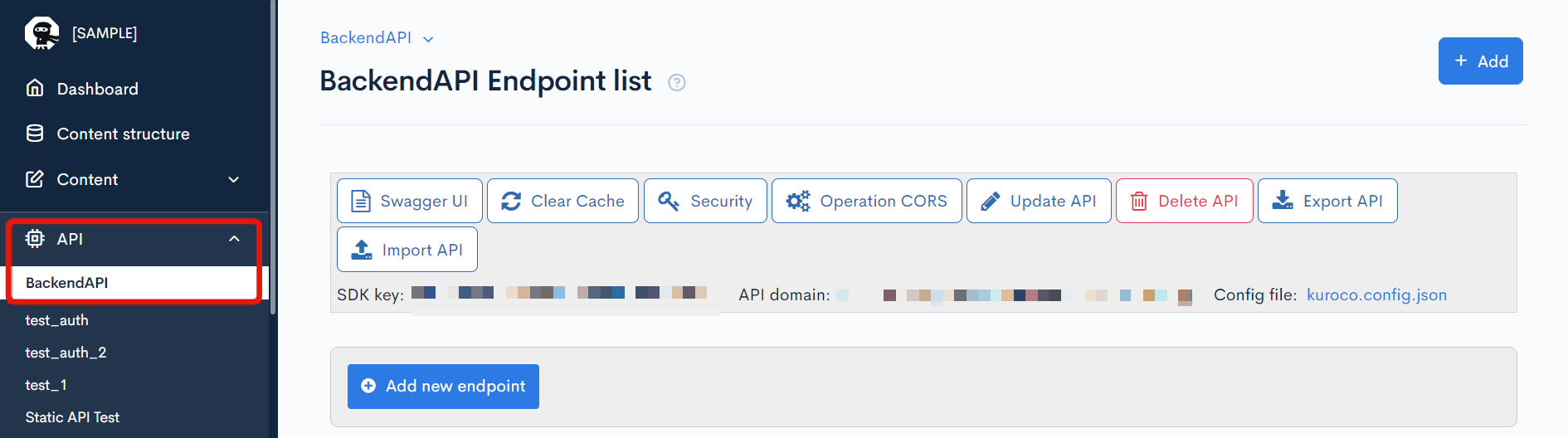
You can modify the content list order in the Configure Endpoint dialog.
In the API module, scroll down to the target endpoint and click [Update].
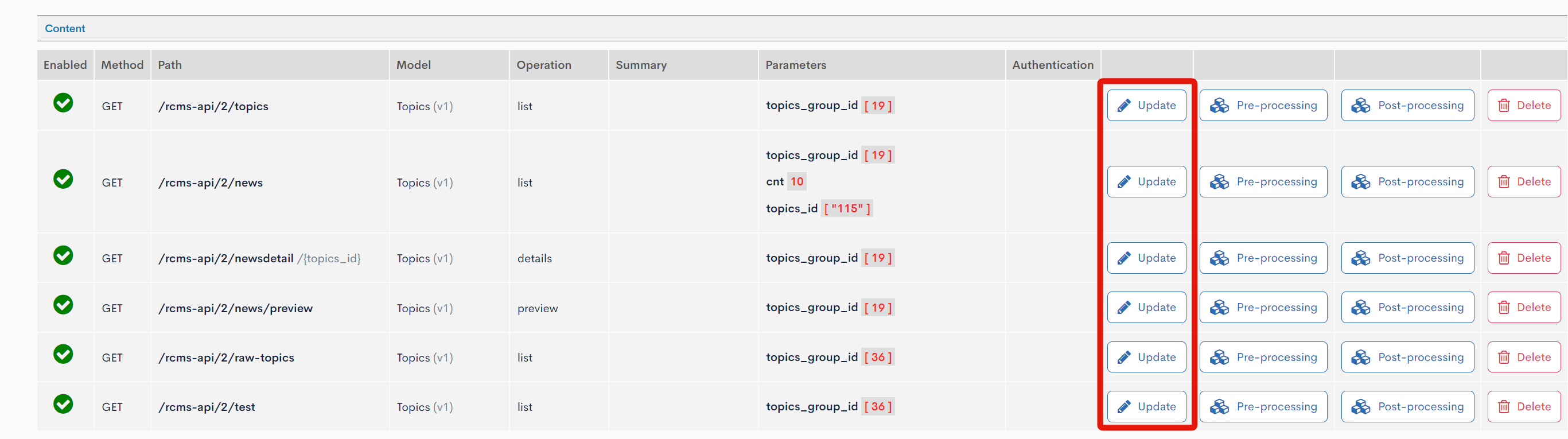
Setting the sort order
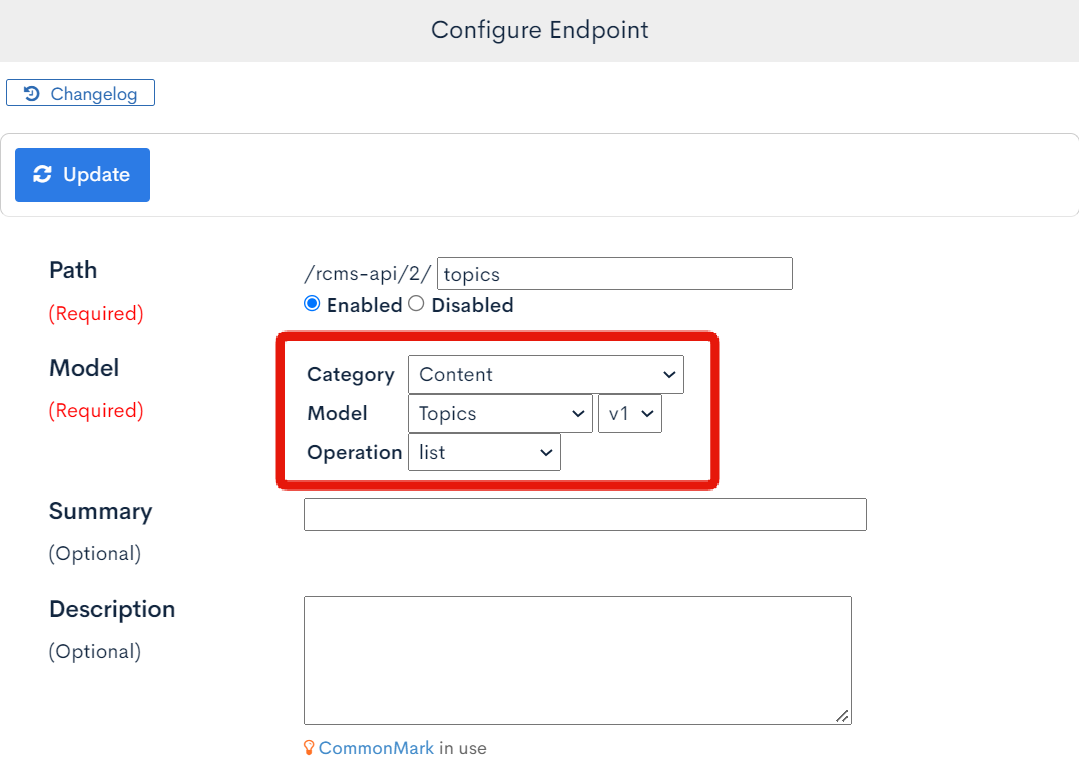
- Set the "Model" section of the dialog as follows:
- Category:
Content - Model:
Topics - Operation:
list
 2. Under "Parameters", fill in the "order_query" field. The allowed values are listed below.

Possible values and sort orders
Values
topics_id(content ID)order_no(sort number)ymd(post date)post_time(post time)contents_type(category)subject(title)regular_flg(display on top)inst_ymdhi(date and time of creation)update_ymdhi(date and time of last update)topics_group_id(content group ID)open_flg(publication flag)slug(slug)contents_type_nm(category name)contents_type_nm_2(category name 2)contents_type_nm_3(category name 3)open_sta_date(scheduled publish date)open_end_date(scheduled unpublish date)favorite_cnt(number of times favorited)favoriteX_cnt(number of favorites for each action type)comment_cnt(number of comments)vector_distance(vector distance)ext_col_nn(additional field; *nnindicates the field number)
Note
- The "Hide date" function in the Content structure editor allows you to switch between using
ymd(when disabled) andorder_no(when enabled). Also,post_timeis only available when "Also include time (hh:mm)" is enabled. favorite_cntis only available whenget_favorite_cntis enabled in the API parameter settings.comment_cntis only available whenget_comment_cntis enabled in the API parameter settings.open_sta_date/open_end_dateare only available whenadd_open_ymdhiis enabled in the API parameter settings.vector_distanceis only available when performing vector search using thevector_searchorsimilar_search_idquery parameters.
When multiple content definitions are specified
When a single endpoint targets multiple content definitions (content groups), the fields you can specify in order_query are restricted as follows:
- To sort by an additional field (
ext_col_nn), as with Implementing Search Across Multiple Content Definitions, the "Type of field setting", "Slug of content field", and "ID of content field" must be identical across all of the target content definitions. An additional field for which any of these differs is not used for sorting. - When content definitions with different "Hide date" settings are mixed (a definition that uses
ymdand a definition that usesorder_no), none ofymd,post_time, ororder_nocan be used as a sort key. In this case, sort by a field common to the target content definitions, such asupdate_ymdhi.
Example description
To display contents in ascending order by content ID, enter topics_id:asc in "order_query".
 Sort orders
asc(low to high)desc(high to low)
Fields that use repetition may not be sorted properly.
For the default sort order when order_query is not specified, see What is the default sort order for the content list?.
Related documents
Support
If you have any other questions, please contact us or check out Our Slack Community.