How do I generate reports using custom dimensions in Google Analytics?
In Google Analytics, you can generate reports using custom dimensions in one of two ways.
Existing report
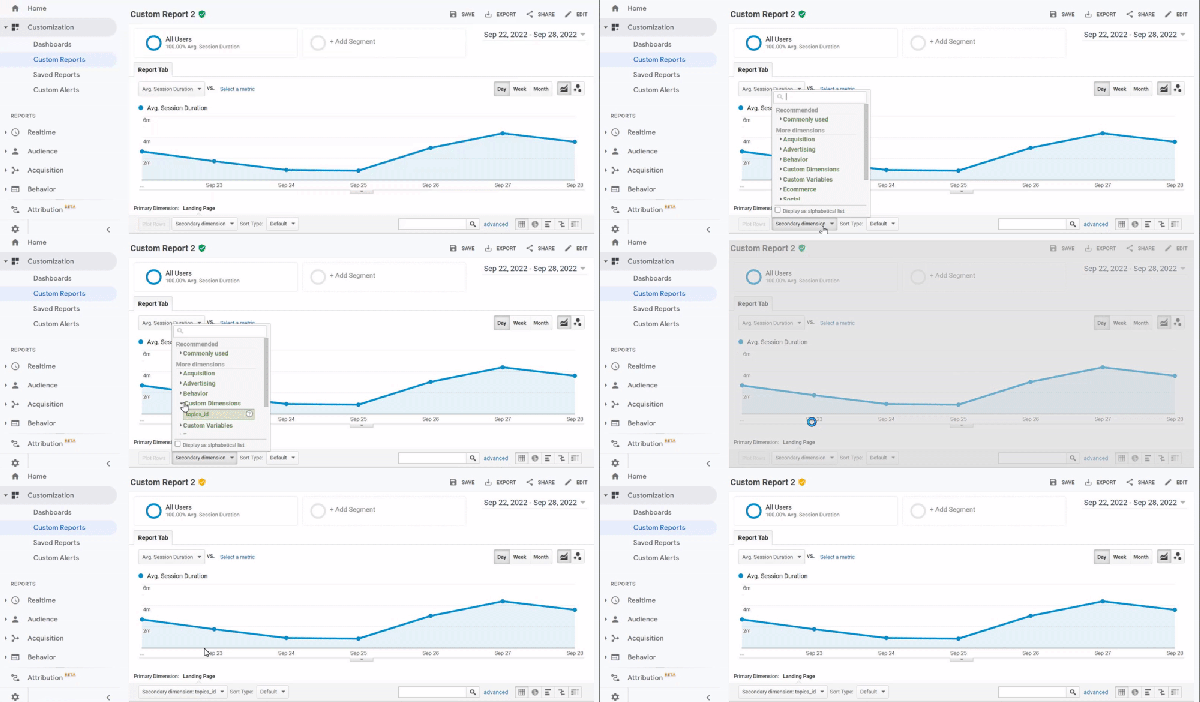
For existing reports, select the desired custom dimension as the "Secondary dimension" in the Report Tab.
New report
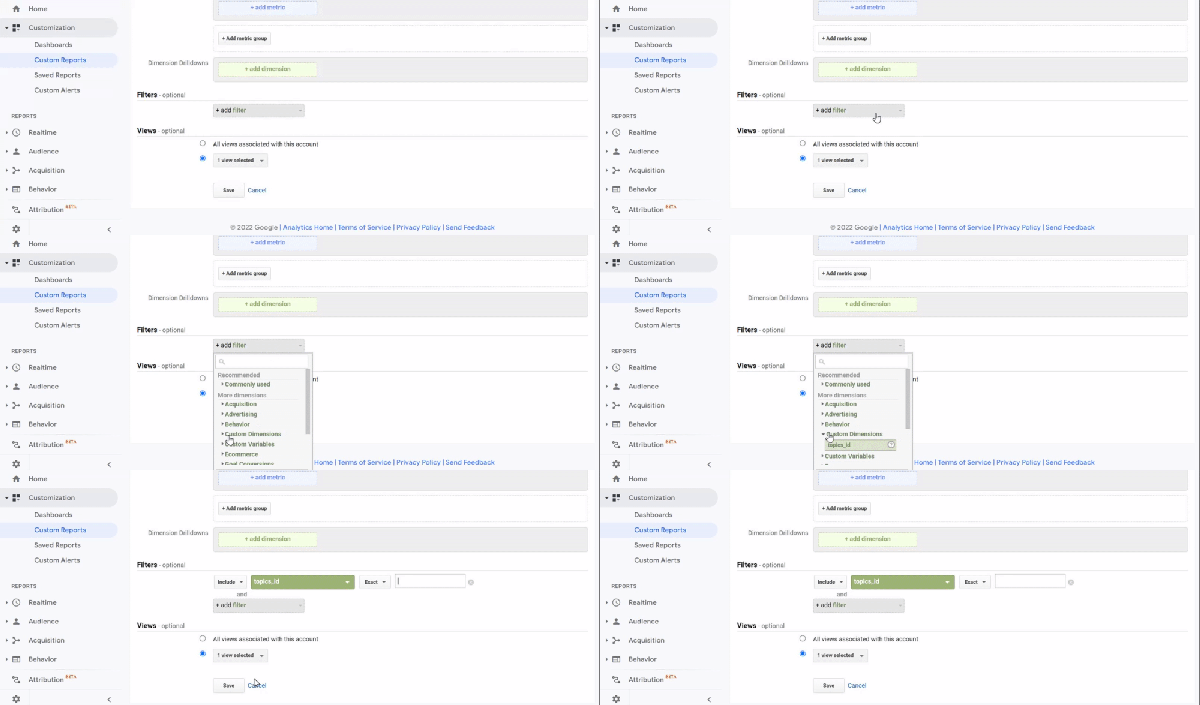
Alternatively, create a new custom report and filter the results by main module ID or other variables as follows.
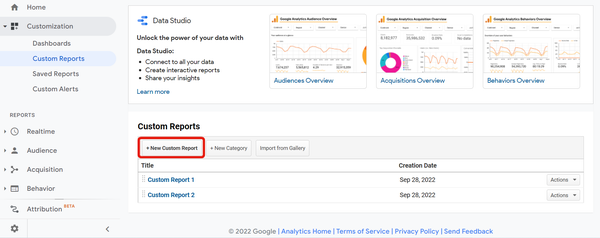
On the Custom Reports screen, click [+New Custom Report].
On the report generation screen, select the desired custom dimension as a filter.
caution
Due to changes in Google's specifications, the actual screen may differ from the screenshots seen here.
More information
For further information on generating custom reports, see Google Analytics Help: About Custom Reports.
Related documents
Support
If you have any other questions, please contact us or check out Our Slack Community.