Can I disable password reuse?
In the left sidebar menu, select [Environment] -> [Site settings]. Under "Member", enter the number of consecutive generations for which passwords cannot be reused in "Past passwords cannot be used".
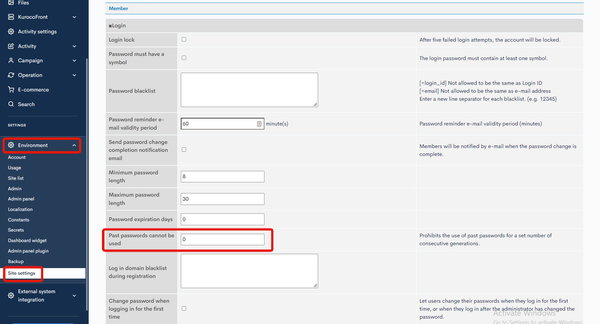
Input values
0: Feature is not activated. All previous passwords can be used.1: Checks if the new password is identical to the current password. If so, it will not be accepted.2or greater: Checks the specified number of previous passwords. If the new password matches any of them, it will not be accepted.
Note
Super users are not subject to this restriction when updating their passwords.
Related documents
Support
If you have any other questions, please contact us or check out Our Slack Community.