I get an error message when I push to GitHub. How do I resolve this error?
If the pushed files include the GitHub Actions .yml file
Since the .yml file for GitHub Actions is used when deploying with KurocoFront, you will receive an error in the situations below.
Situations
- The pushed files include a file under the
.github/workflowsdirectory. - You are using personal access tokens on GitHub.
- The "workflow" option is not selected under the [Personal access tokens] settings.
Error message
! [remote rejected] main -> main (refusing to allow a Personal Access Token to create or update workflow `.github/workflows/build.yml` without `workflow` scope)
error: failed to push some refs to 'https://github.com/GitHubアカウント/kuroco_front_nuxt_auth.git'
If you see the above error message, verify the following.
Error resolution
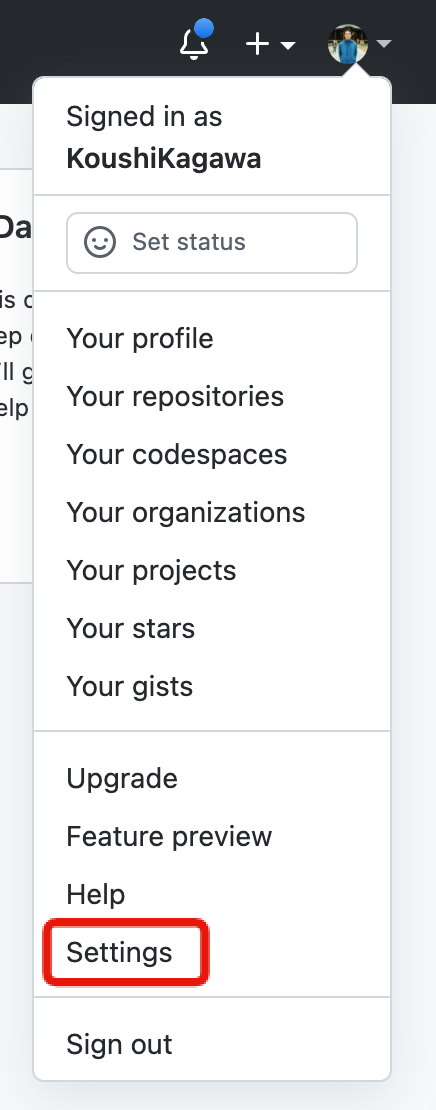
Click [Settings] in your GitHub account.
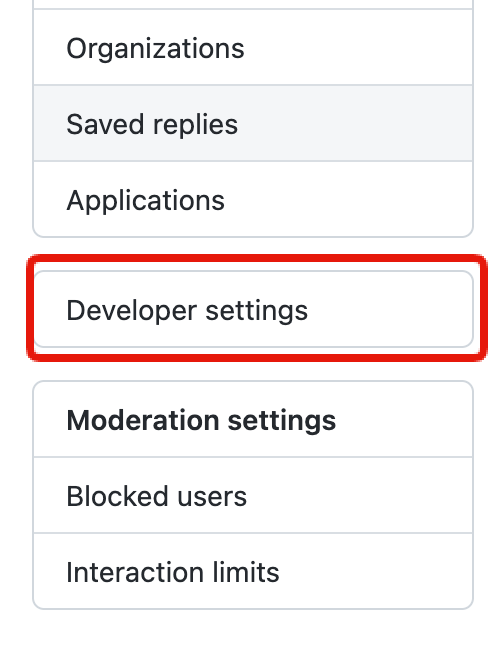
 In the left sidebar menu, click [Developer settings].
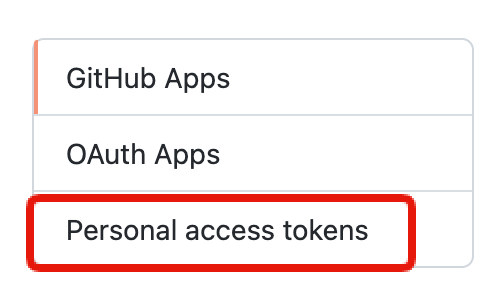
 Select [Personal access tokens].
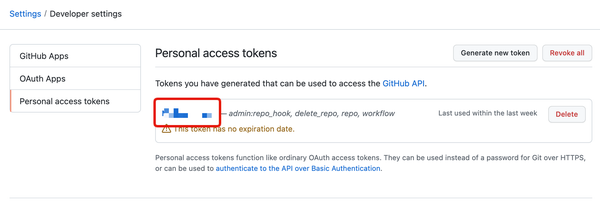
 Edit your current personal access tokens.
 Enable the "workflow" option.
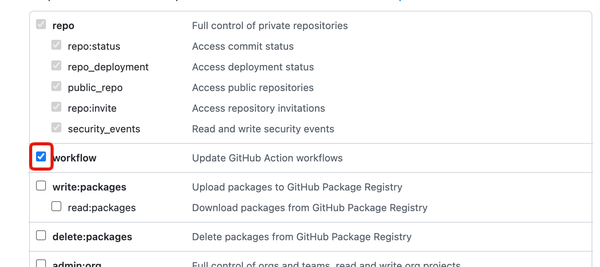 Then, click [Update token] at the bottom of the screen to save these settings.
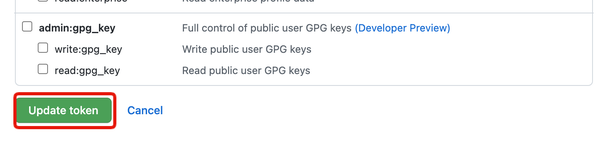 Now you should be able to push to your repo without receiving any errors.
More information
See: GitHub Docs - Creating a personal access token for more information.
Related documents
Support
If you have any other questions, please contact us or check out Our Slack Community.