Can custom function output logs for debugging purposes?
You can check the contents of the variable by adding the following description to the place of concern in the custom function.
Use logger plugin
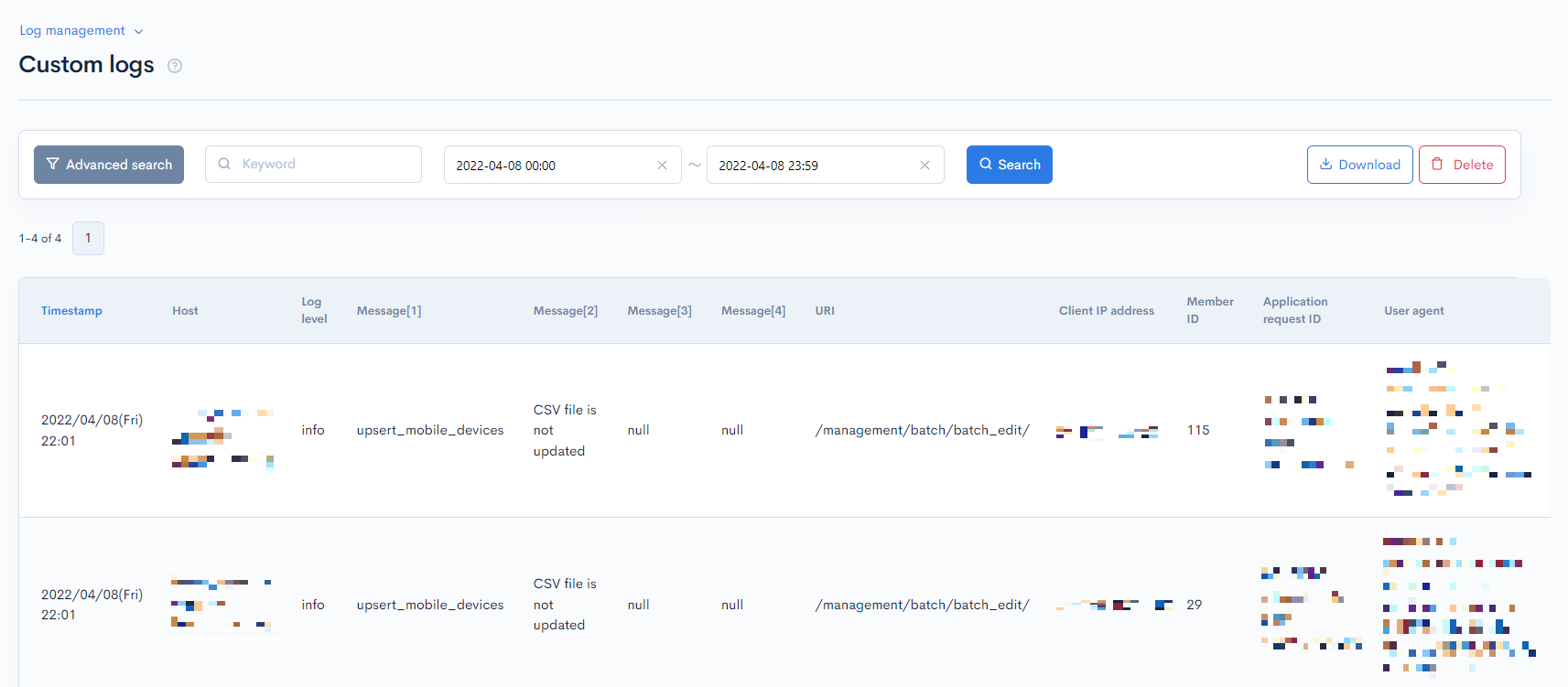
You can check this log on custom log list.
Use the logger plugin to check the result of execution.
Example
{logger msg1=$json msg2=$output msg3=$smarty.request msg4=$example}
How to check custom logs list
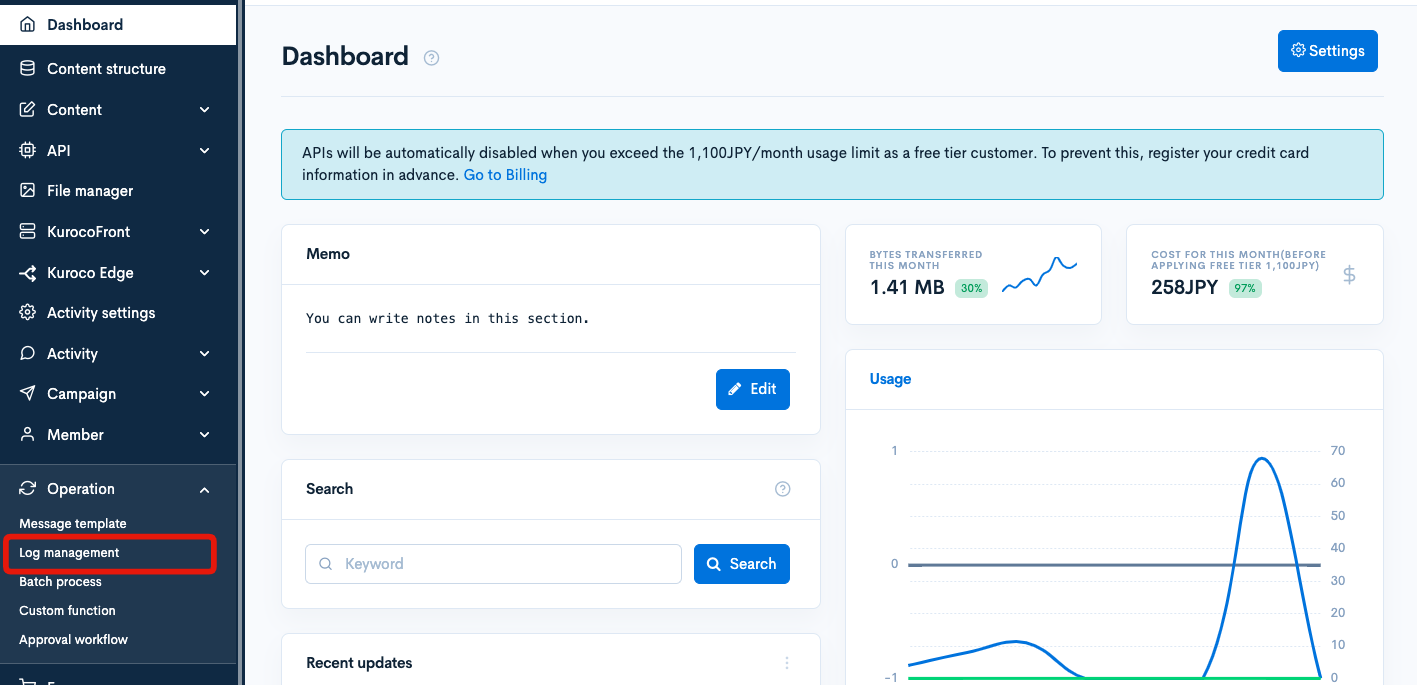
Click [Operation] -> [Log management] on the side menu.
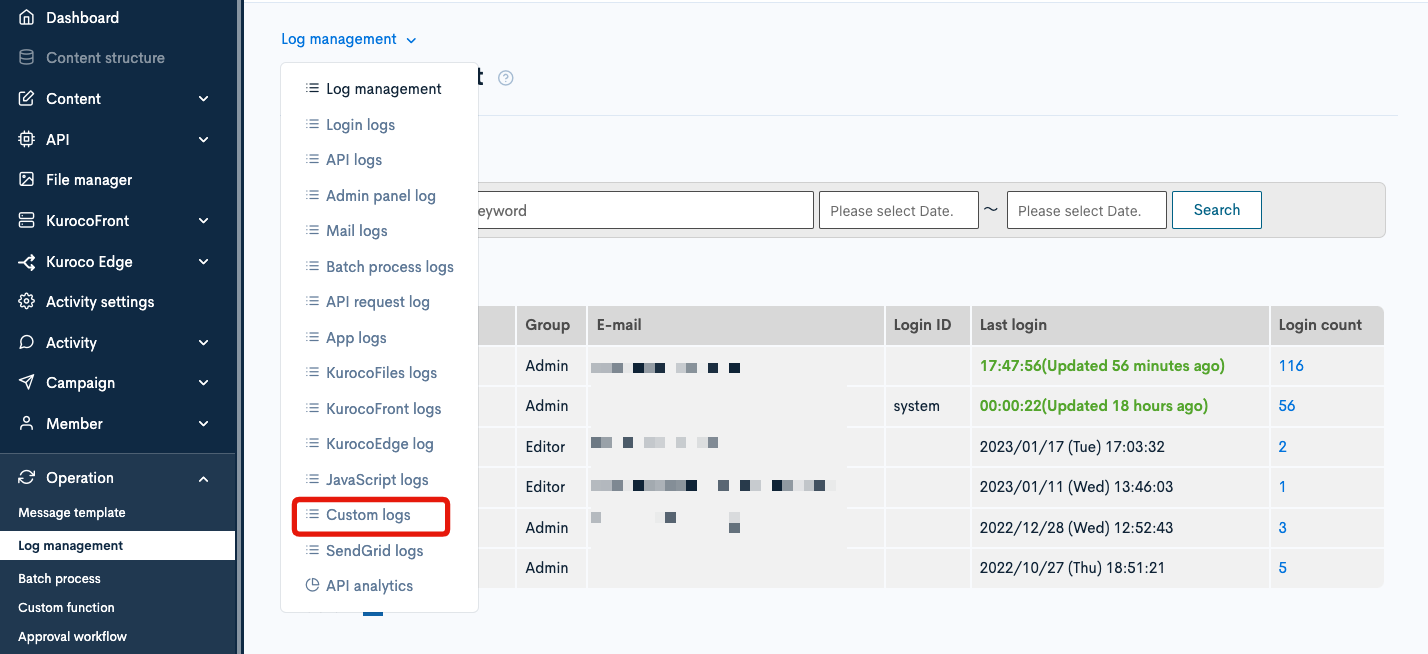
Click [custom logs] from the dropdown menu above the page title.
Custom logs list is displayed.
Use @debug_print_var
If the data is large, the logger plugin may not be able to store the logs.
If you are dealing with large data or want to check the contents of the data on the spot during implementation, please use @debug_print_var.
The output result of @debug_print_var will not be stored in the log.
Example
test:{$json|@debug_print_var}
How to check logs in each function
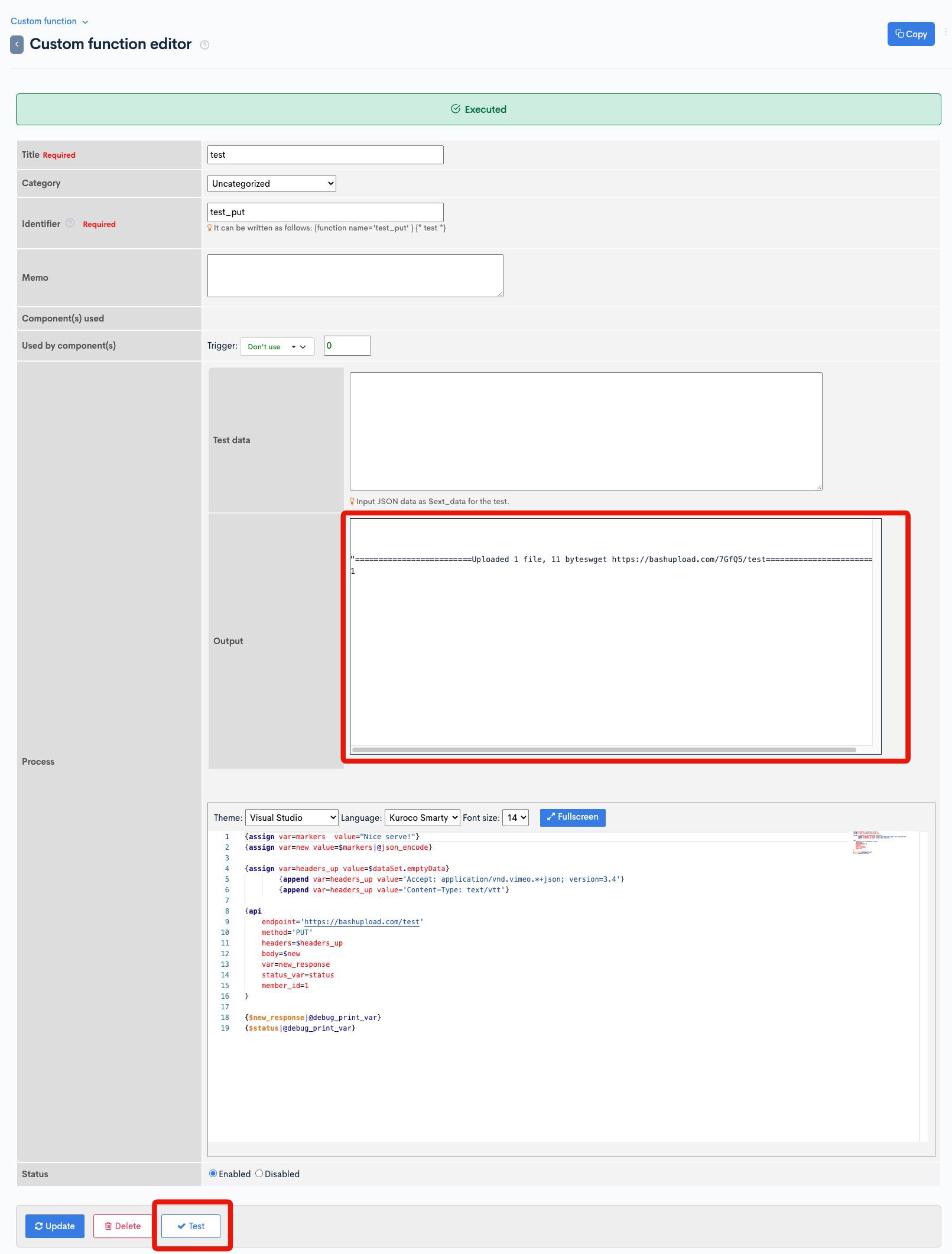
By clicking [Test] button on the Custom function editor screen, it is displayed on the [Output] field.
Use put_file to save to KurocoFiles
The logger plugin truncates data exceeding 1KB and displays ...Over 1kb data., so you cannot view the full content.
If you want to save large data as a file, you can use the put_file plugin to save it to KurocoFiles.
Example
{assign var=filename value="/files/ltd/debug_"|cat:$row.topics_id|cat:"_"|cat:$smarty.now|cat:".json"}
{put_file value=$row|@json_encode path=$filename}
In the above example, the contents of the $row variable are saved in JSON format to the /files/ltd/ directory.
By including the content ID and timestamp in the filename, the file will not be overwritten even if executed multiple times.
How to check the saved file
Click [File management] -> [KurocoFiles] and open the ltd folder to see the saved file.
Download the file to check its contents.
The /files/ltd/ directory is accessible only to administrators, making it suitable for storing debug log files.
If the file can be made public, you can also use the /files/user/ directory.
Support
If you have any other questions, please contact us or check out Our Slack Community.