Can I configure multiple IP addresses as a group?
By setting a list of IP addresses separated by line breaks in a constant named IPSETS_*,
you can configure a group of multiple IP addresses using [[IPSETS_*]].
Configuration example
On the Constants page, configure the settings as follows:
- Set the name to
IPSETS_* - Enter the list of IP addresses separated by line breaks
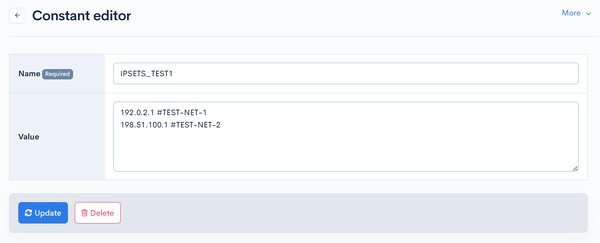
You can add notes for IP addresses using the #comment format.
Where it can be used
Currently, the following IP address restrictions are supported.
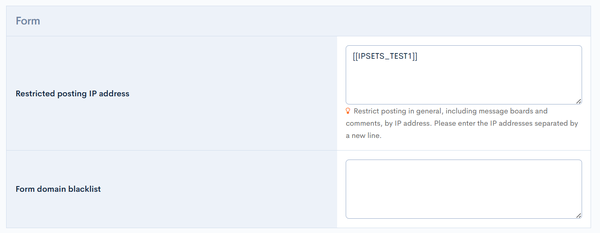
In the IP address restriction field, enter the configured constant name as [[IPSETS_*]].
-
IP address restrictions for API definitions

-
[KurocoFiles access restriction (IP address)] under [Environment] -> [Admin panel] -> [Admin panel]

-
[Admin MCP access restriction (IP address)] under [Environment] -> [Admin panel] -> [Admin panel]
-
[Deny IP Address] under [Environment] -> [Admin panel] -> [Admin panel]

-
[Denied IP addresses for write requests] under [Environment] -> [Site settings]
Related documents
Support
If you have any other questions, please contact us or check out Our Slack Community.