Site settings
The site settings screen allows you to verify and update the settings for the entire site.
Accessing the screen
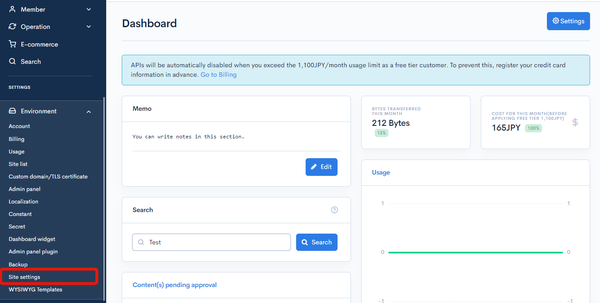
In the left sidebar menu, under "SETTINGS", click [Environment] -> [Site settings].
Item descriptions
Common
| Item | Description |
|---|---|
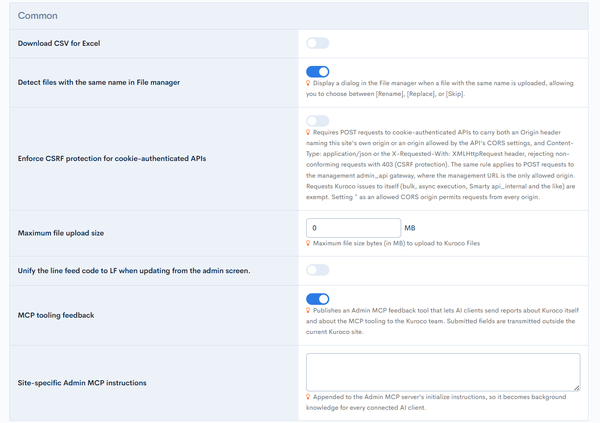
| Download CSV for Excel | If checked, tabs are attached to data that contains only numbers. As a result, it prevents the leading 0 from disappearing when opening data such as 001 in Excel. |
| Detect files with the same name in File manager | If checked, display a dialog in the File manager when a file with the same name is uploaded, allowing you to choose between [Rename], [Replace], or [Skip]. |
| Enforce CSRF protection for cookie-authenticated APIs | If checked, POST requests to cookie-authenticated APIs must carry both an Origin header naming the site's own origin or an origin allowed by the API's CORS settings, and Content-Type: application/json or the X-Requested-With: XMLHttpRequest header; requests that do not meet both conditions are rejected with 403. The same rule applies to POST requests to the Admin API, where the management URL is the only allowed origin. If unchecked, such requests are not rejected and only recorded in the detection log. For details, see A vulnerability assessment detected CSRF. How should I address this in Kuroco?. |
| Maximum file upload size | Specify the maximum file size allowed when uploading files to content from the admin screen. |
| Unify the line feed code to LF when updating from the admin screen. | If checked, the line feed code will be unified to LF when updating from the admin panel. |
| MCP tooling feedback | If checked, publishes a dedicated tool for AI clients to report problems with the Admin MCP tooling (unclear descriptions, schema mismatches, unexpected errors) to Kuroco. Explicit user approval is required before submission. For details, see Admin MCP. |
| Site-specific Admin MCP instructions | Appends this site's own operating rules to the end of the Admin MCP server's initialize instructions. Most AI clients load this text into the model's system prompt, so it can convey what the tool definitions alone cannot express. This text never widens the permissions of a token. For details, see Admin MCP. |
Form
| Item | Description |
|---|---|
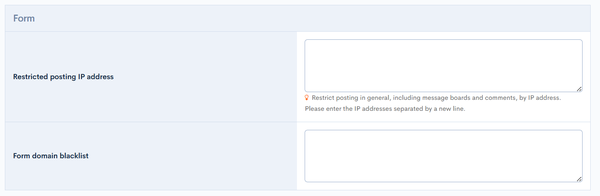
| Restricted posting IP address | Comments can be restricted by IP address. Please enter the IP addresses separated by a new line. An IP address can be specified either as a single address or using CIDR notation. |
| Form domain blacklist | Enter the domains which are not allowed to enter in the form separated by line breaks. You can add notes in the form of #comments. |
Registration
| Item | Description |
|---|---|
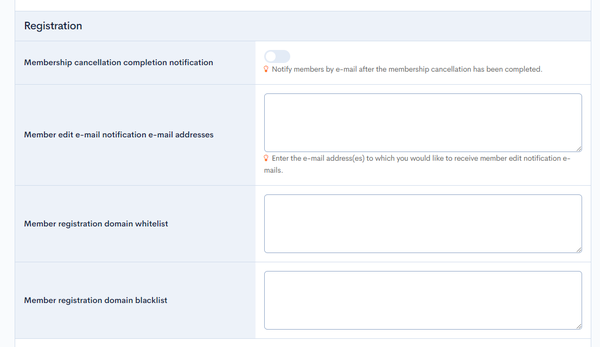
| Membership cancellation completion notification | Notify members by e-mail after the membership cancellation through API request has been completed. (It will not notify if the member is deleted from the admin panel.) |
| Member edit e-mail notification e-mail addresses | Enter the e-mail address(es) to which you would like to receive member edit notification e-mails. It is linked to the "editing address" in Email notification on the member details settings screen. |
| Member registration domain whitelist | Enter the domains of email addresses that are allowed to register, separated by line breaks. You can add notes in the form of #comments. Usage Examaple: diverta.co.jp #DivertaDomain |
| Member registration domain blacklist | Enter the domains of email addresses that are NOT allowed to register, separated by line breaks. You can add notes in the form of #comments. Usage Examaple: diverta.co.jp #DivertaDomain |
Member
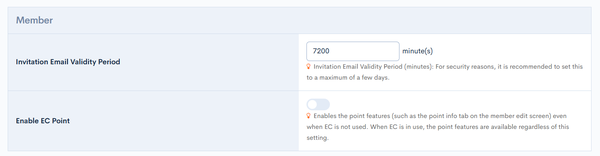
| Item | Description |
|---|---|
| Invitation e-mail validity period | Validity period of invitation e-mail (minutes) |
| Enable EC Point | Enables the point features (such as the point info tab on the member edit screen) even when EC is not used. When EC is in use, the point features are available regardless of this setting. |
Login
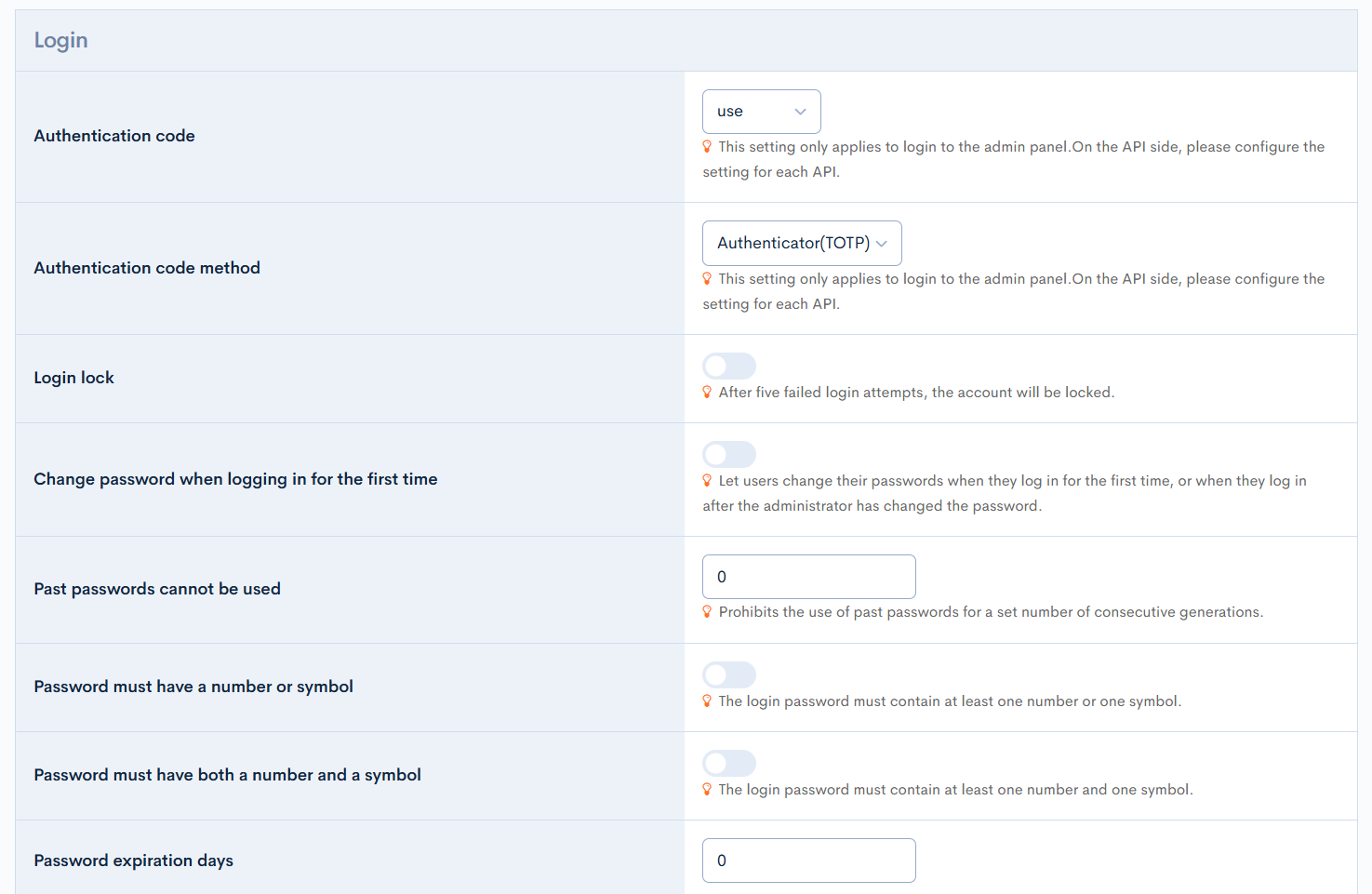
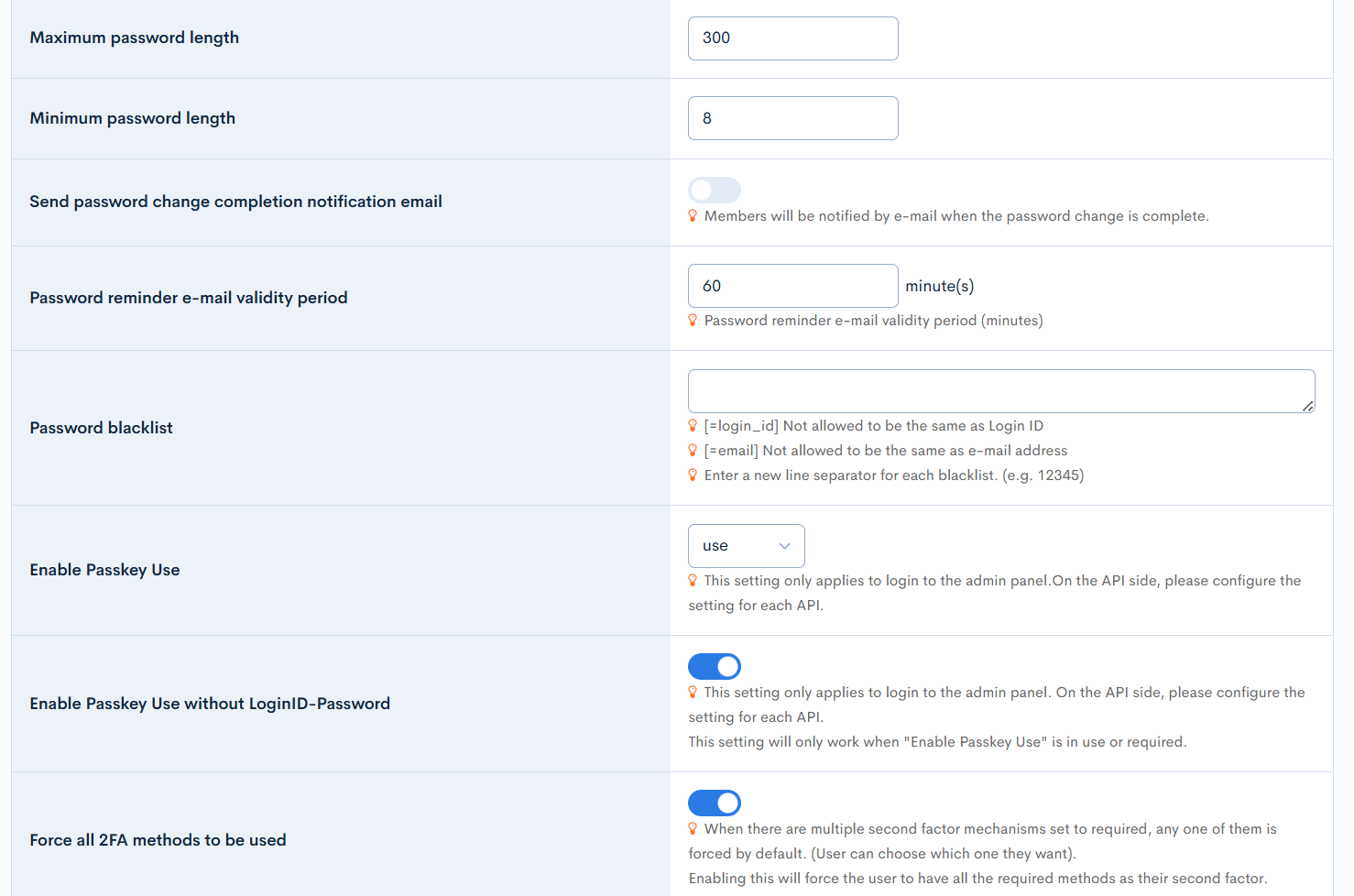
| Item | Description |
|---|---|
| Authentication code | Select whether to use a one-time password when logging in to the admin panel. Possible values are (Don't use, use, required).This setting only applies to login to the admin panel. On the API side, please configure the setting for each API. |
| Authentication code method | Select how the one-time password is delivered. Possible values are (Authenticator(TOTP), Email, SMS).This setting only applies to login to the admin panel. On the API side, please configure the setting for each API. |
| Login lock | After five failed login attempts, the account will be locked. |
| Change password when logging in for the first time | Let users change their passwords when they log in for the first time, or when they log in after the administrator has changed the password. |
| Past passwords cannot be used | Prohibits the use of past passwords for a set number of consecutive generations. |
| Password must have a number or symbol | The login password must contain at least one number or one symbol. |
| Password must have both a number and a symbol | The login password must contain at least one number and one symbol. |
| Password expiration days | Enter the password expiration days. |
| Maximum password length | Enter the maximum length of the password to be set. |
| Minimum password length | Enter the minimum length of the password to be set. |
| Send password change completion notification email | Members will be notified by e-mail when the password change is complete. |
| Password reminder e-mail validity period | Password reminder e-mail validity period (minutes) |
| Password blacklist | [=login_id] Not allowed to be the same as Login ID [=email] Not allowed to be the same as e-mail address Enter a new line separator for each blacklist. (e.g. 12345) |
| Enable Passkey Use | Configuration for usage of Passkey for 2FA login, possible values are (Don't use, use, required)Don't use: This will disable using of Passkey as a second factor. use: This will allow member to configure their 2FA as passkey, but will not be required to login. required: This will require the member to have a Passkey setup in their account, if they don't have a passkey setup, the system will prompt for self registration when they next login. This setting only applies to login to the admin panel. On the API side, please configure the setting for each API. |
| Enable Passkey Use without LoginID-Password | This will allow member to login without entering their email/username. The passkey will be sufficient to perform authentication. This setting only applies to login to the admin panel. On the API side, please configure the setting for each API. This setting will only work when "Enable Passkey Use" is in use or required. |
| Force all 2FA methods to be used | When there are multiple second factor mechanisms set to required, any one of them is forced by default. (User can choose which one they want). Enabling this will force the user to have all the required methods as their second factor. |
E-commerce

| Item | Description |
|---|---|
| Premium membership expiration notification days | Number of days before the expiration date to be notified. |
Content

| Item | Description |
|---|---|
| Disable "Display files in primary language when there are no images or files in secondary language" | If you check this option, the system will not automatically respond with the primary language files when there are no images or files in the secondary language. |
After you have configured the desired settings, click [Update] at the bottom of the screen to apply all changes. 
Related documents
Support
If you have any other questions, please contact us or check out Our Slack Community.