Template
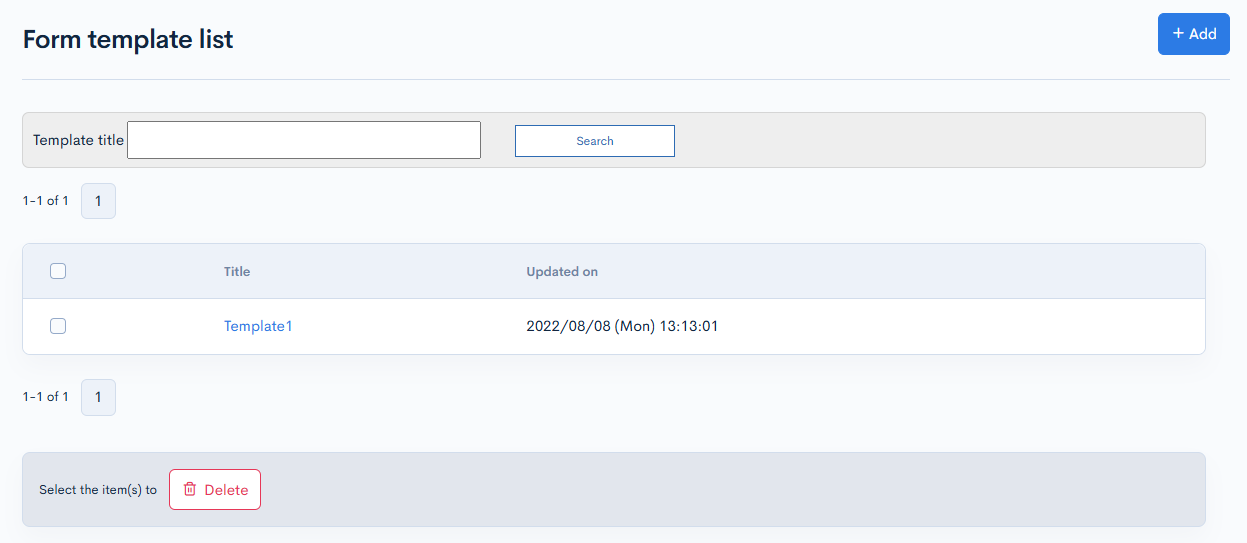
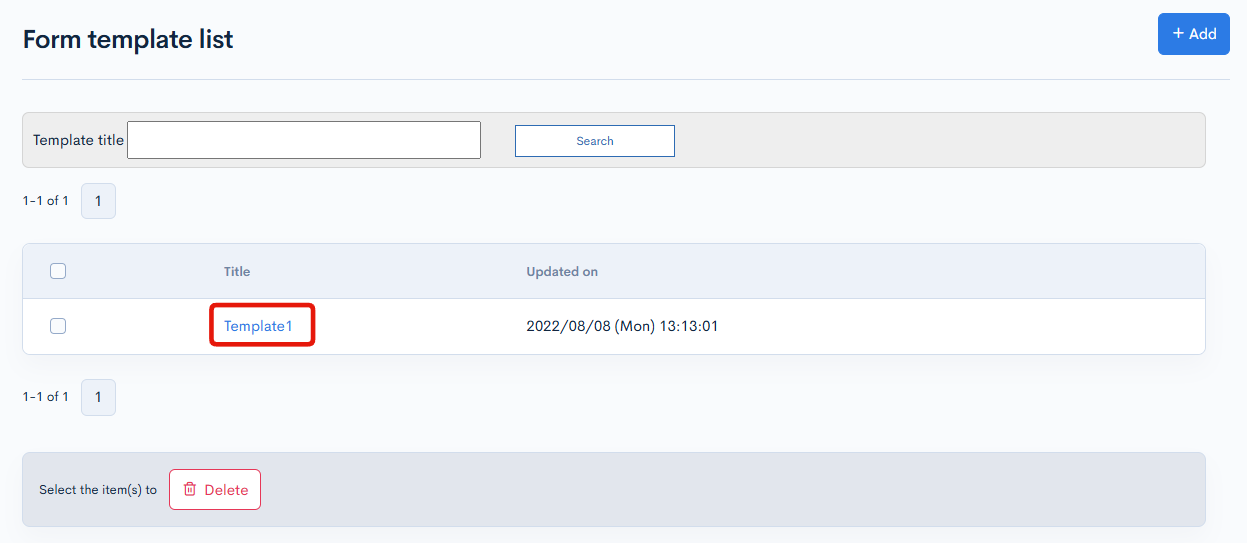
The template screen allows you to view, add to, and update the list of response templates to inquiry messages.
Template list
Accessing the screen
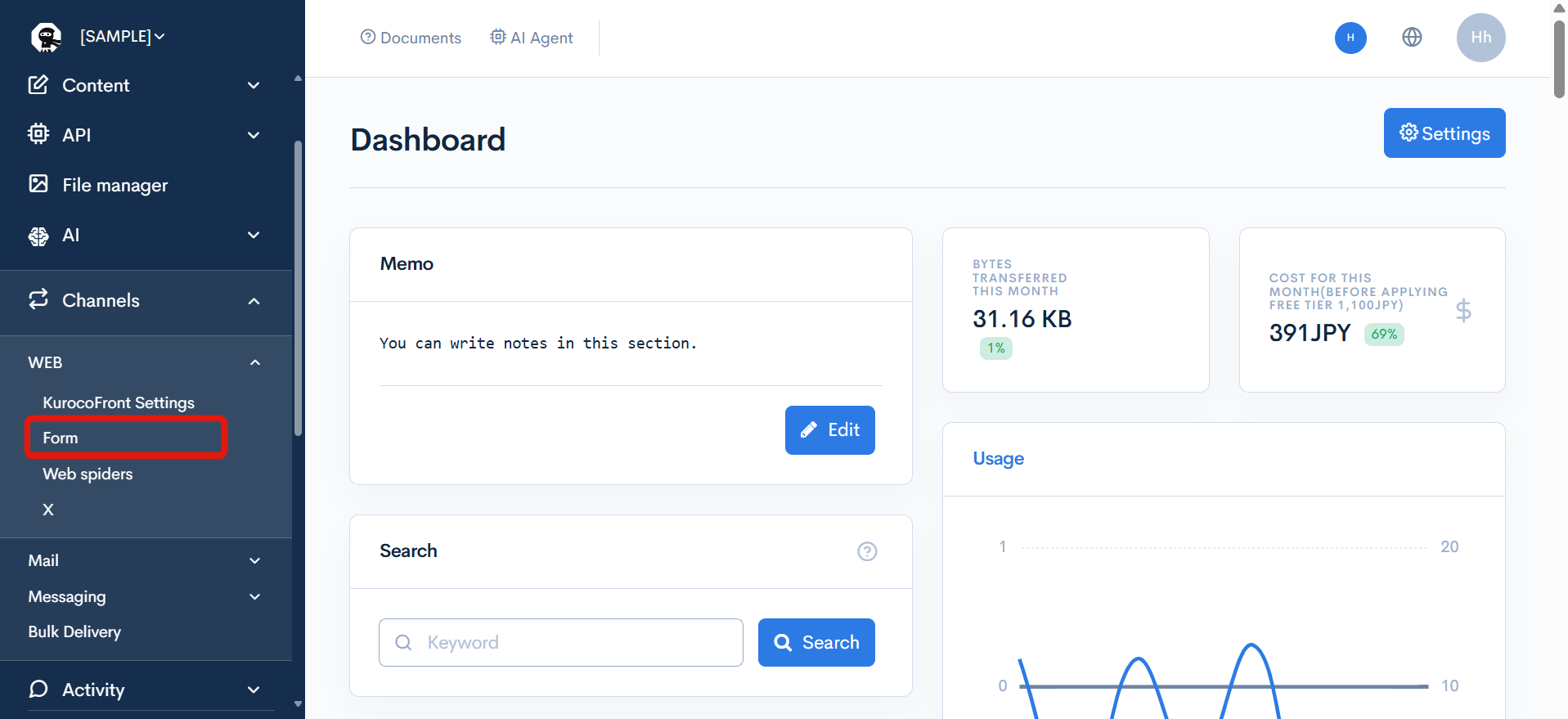
In the left sidebar menu, click [Channels] -> [WEB] -> [Form].
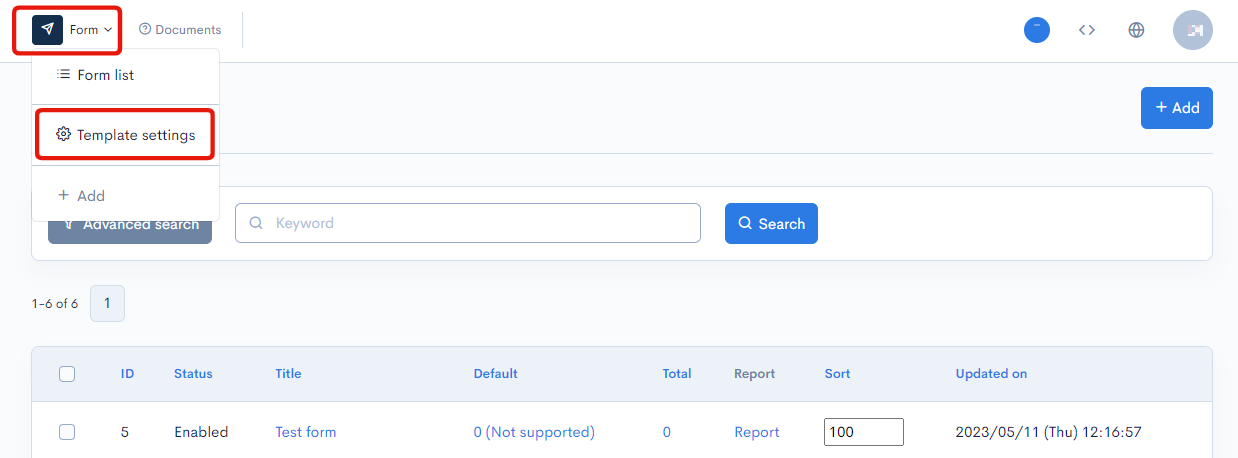
On the form list screen, click the [Form] link above the page title and select [Template settings] from the dropdown menu.
Item descriptions
| Item | Description |
|---|---|
| Search | Filter by template title using the search box. |
| Template title | Title of the template. Clicking a title redirects to the corresponding editor screen. |
| Updated on | Date and time of last template update. |
Batch actions
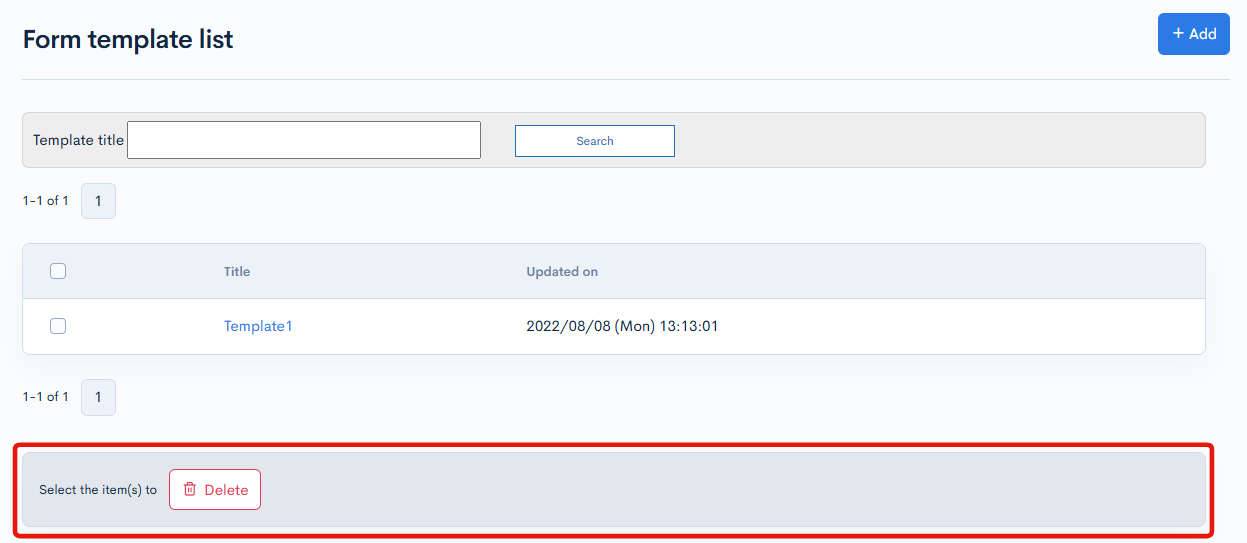
You can perform the following batch actions by selecting multiple categories using the checkboxes in the left-most column.
| Item | Description |
|---|---|
| Delete | Deletes the selected templates. |
Template editor
Accessing the screen
In the left sidebar menu, click [Channels] -> [WEB] -> [Form].
On the form list screen, click the [Form] link above the page title and select [Template settings] from the dropdown menu.
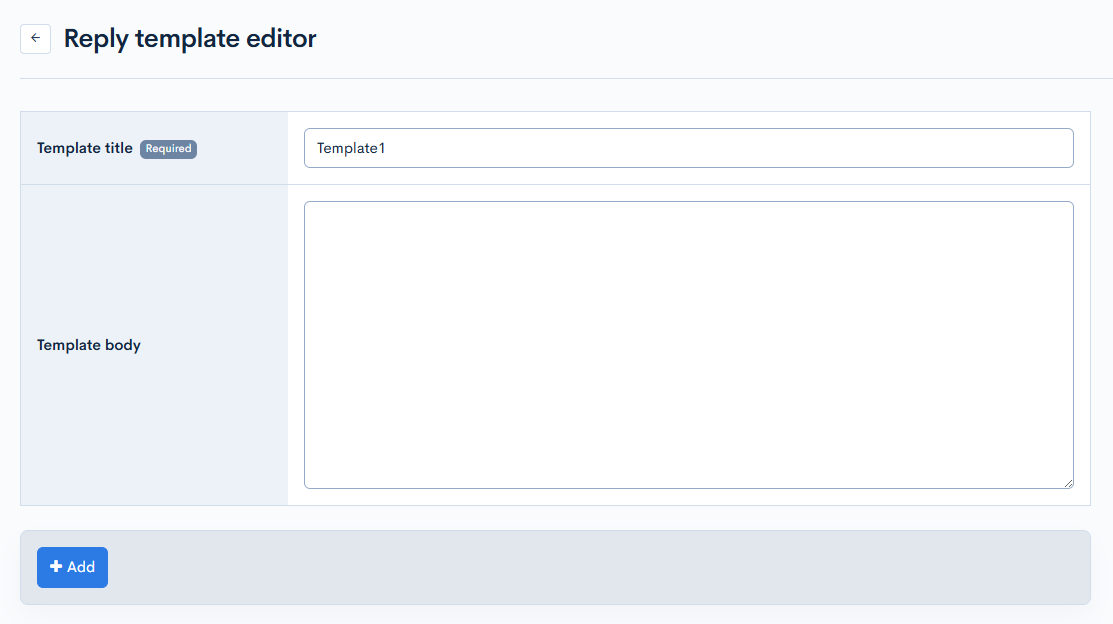
On the template list screen, click the title of the template you want to edit.
Item descriptions
| Item | Description |
|---|---|
| Template title | Title of the template. |
| Template body | Body content of the template. |
Actions

| Item | Description |
|---|---|
| Update | Applies any changes made to the template. |
| Delete | Deletes the current template. |
Related documents
Support
If you have any other questions, please contact us or check out Our Slack Community.