Slack
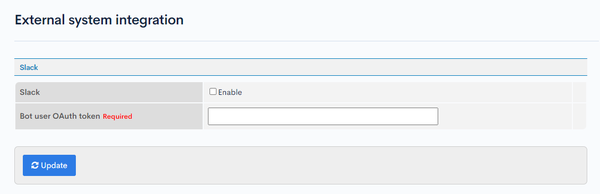
The Slack screen enables you to integrate Slack into your website using the bot user OAuth token.
Accessing the screen
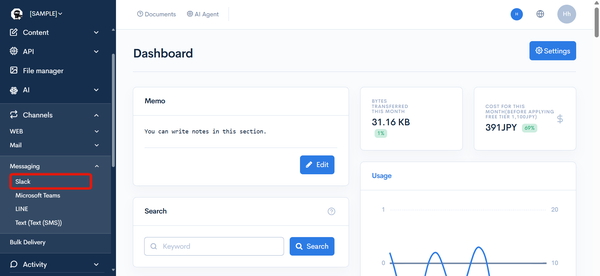
In the left sidebar menu, under "SETTINGS", click [Channels] -> [Messaging] -> [Slack].
Item descriptions
| Item/Button | Description |
|---|---|
| Slack | Check the "Enable" box to allow Slack integration. |
| Bot user OAuth token | Bot user OAuth token obtained from the Slack API. See Create a Slack app and configure the bot user OAuth token in Kuroco for how to obtain it. |
| Update | Click to apply the changes you made on this screen. |
Test send
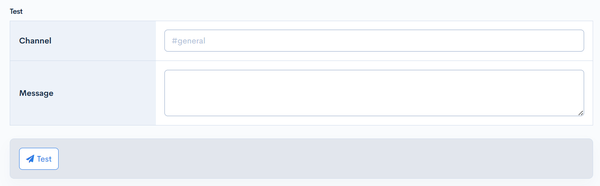
The test send form is displayed when Slack integration is enabled and the Bot user OAuth token is configured. Using the saved settings, you can send an actual message to Slack to verify that the integration is configured correctly.
caution
Sending a test will send a real message to the specified channel.
| Field | Description |
|---|---|
| Channel | Enter the destination channel. Specify it as a channel ID or in the "#channel-name" format (e.g. #general). |
| Message | Enter the text to send. |
| Test | Click [Test] to send the entered message to Slack. If the send succeeds, "Has been sent." is displayed; if it fails, "Message send failure." is displayed. |
Related documents
Support
If you have any other questions, please contact us or check out Our Slack Community.