Security Advisory and Security Inventory
The security advisory screen lists the site settings that need a security review as findings. The [Security inventory] tab of the same screen shows the current values of the access restriction and authentication settings, grouped by what they protect, such as the admin panel and the public APIs.
This screen is for reviewing settings. To change a setting, use the settings screen linked from each item.
For the documentation page that lists vulnerabilities and security notices related to Kuroco, see Security Advisories. The same content is also shown on the [Kuroco platform] tab of this screen.
Accessing the screen
Click [Security] in the header of the admin panel.
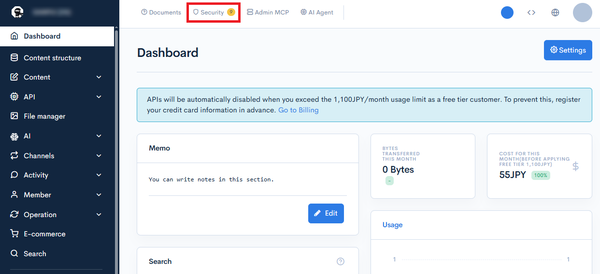
The [Security] link and the security advisory screen are shown only to groups that have the [View] permission for "Security advisory".
When there are "Warning" findings that have not been acknowledged, their count is shown next to [Security]. "Information" findings are not counted. After you change a setting, it can take up to 5 minutes for the count to be updated.
Screen layout
The screen consists of the following three tabs.
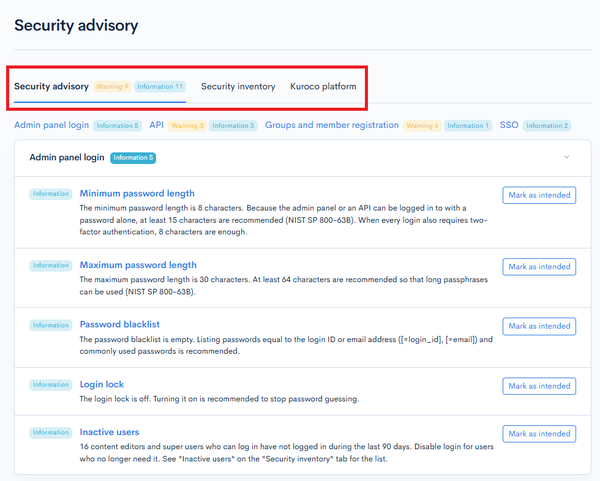
| Tab | Description |
|---|---|
| Security advisory | Checks the current settings of the site and shows the settings that need a review as findings. |
| Security inventory | Shows the current values of the access restriction and authentication settings, and lists of users and endpoints that are not in use. |
| Kuroco platform | Shows vulnerabilities and security notices about the Kuroco platform, with their impact and response status. |
Security advisory tab
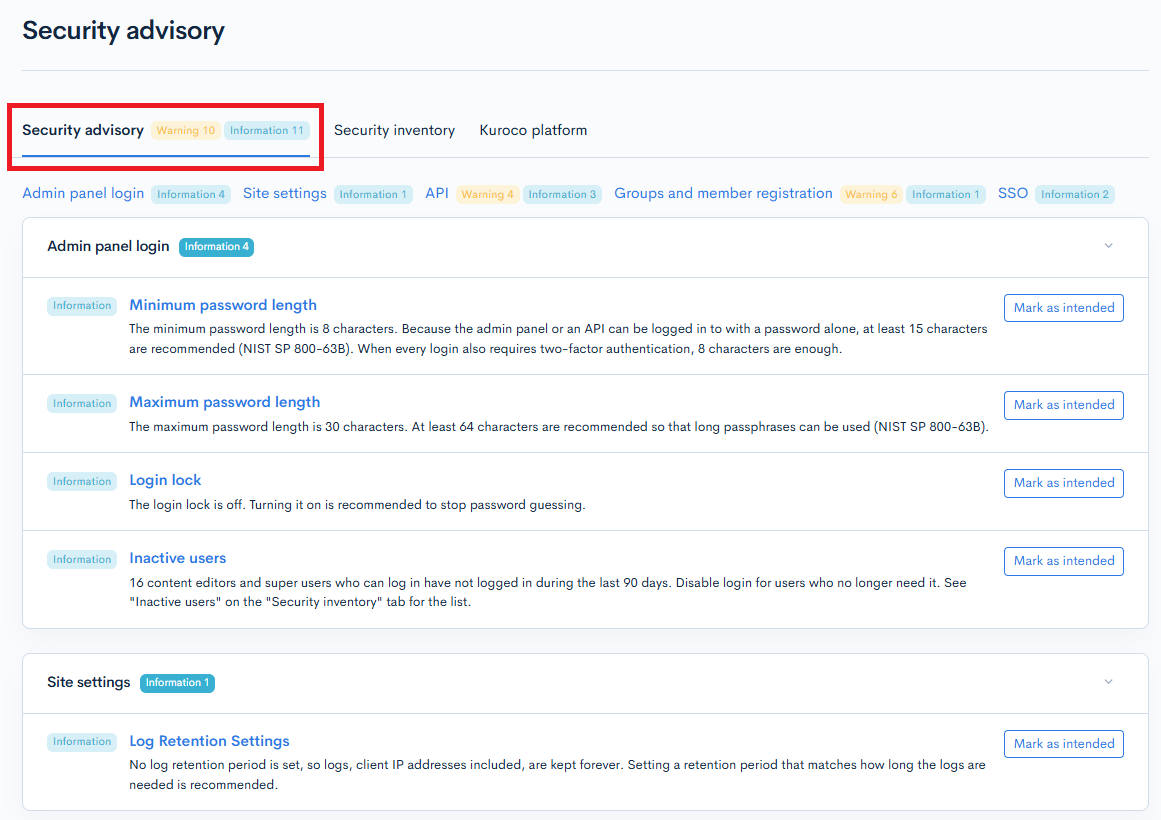
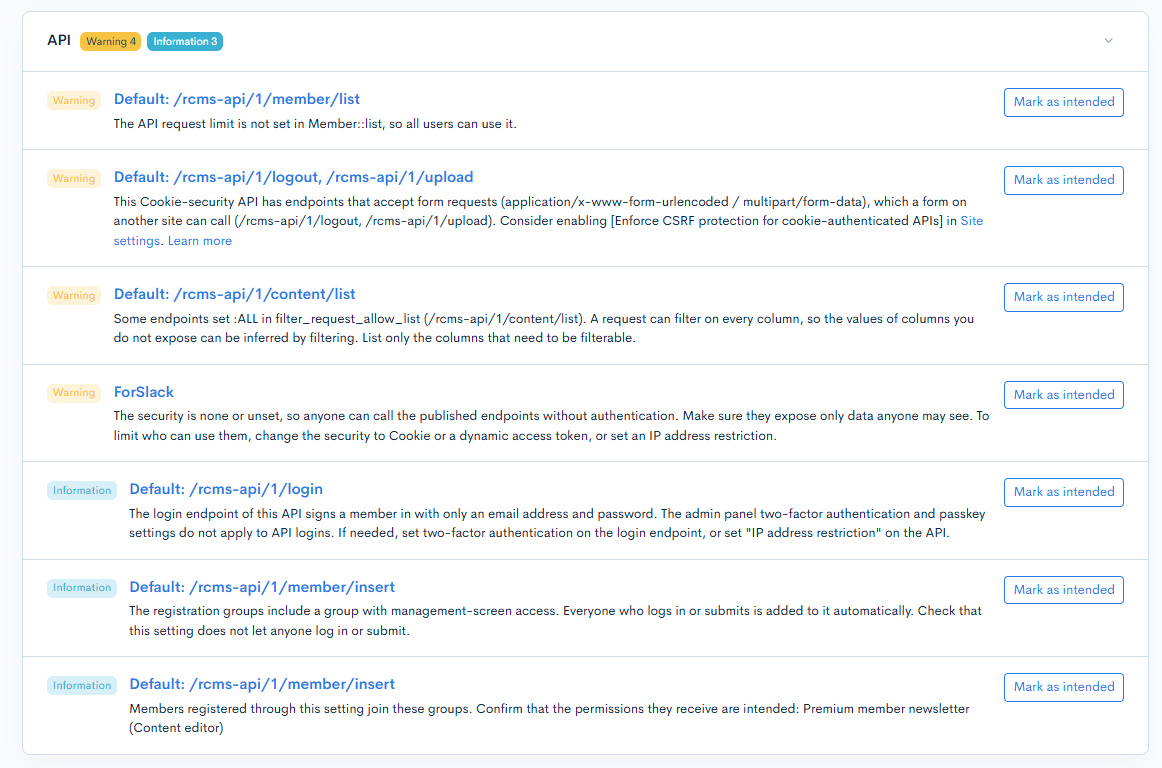
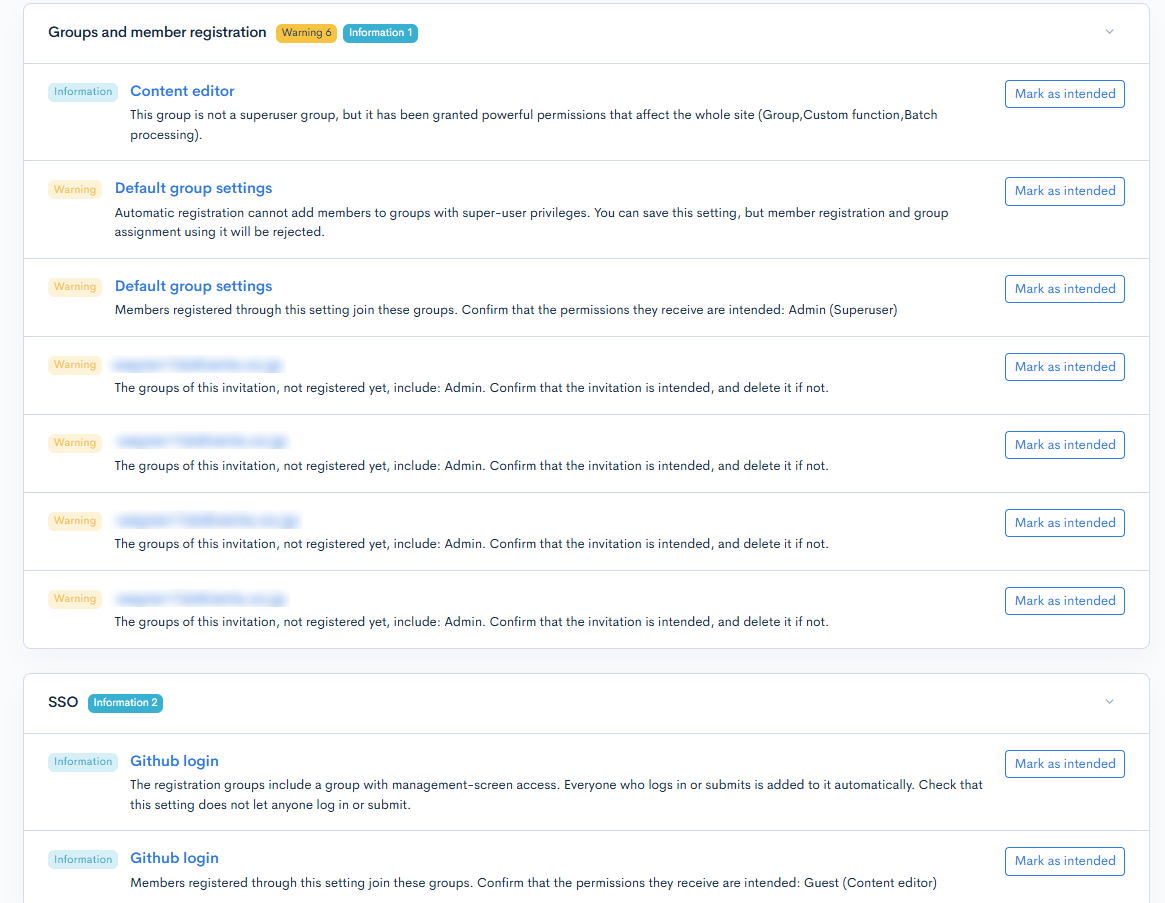
Findings are shown in the following five sections. Next to the tab name and each section name, the number of findings that have not been acknowledged is shown separately for "Warning" and "Information".
| Section | Description |
|---|---|
| Admin panel login | Findings about how users log in to the admin panel, the login policy, and users who have not logged in for a long time. |
| Site settings | Findings about the country access restrictions for the admin panel, Admin MCP, and KurocoFiles, and about the log retention period. |
| API | Findings about API security settings, endpoint authentication, and endpoints that are not in use. |
| Groups and member registration | Findings about group permissions and the groups granted through member registration or invitations. |
| SSO | Findings about SSO settings and the groups granted to members registered through SSO. |
Each finding shows the following.
| Item | Description |
|---|---|
| Warning / Information | The type of the finding. |
| Name of the subject | The name of the setting, API, or other subject of the finding. Click it to go to the screen where you can change the setting. |
| Message | What the finding is about and the recommended action. |
| Mark as intended | Click this when the setting is intended, to acknowledge the finding. Shown only to superusers. |
| Reopen | Returns an acknowledged finding to the unacknowledged state. Shown only to superusers. |
A section without findings shows "No issues found."
Acknowledging a finding
When the setting a finding points to is intended, acknowledge the finding as follows.
- Review the content of the finding.
- Click [Mark as intended].
An acknowledged finding is shown collapsed at the end of its section as "Acknowledged by (user name) on (date and time)", and is no longer counted. Expand it and click [Reopen] to return it to the unacknowledged state.
- If the content of a finding changes after it has been acknowledged, the finding returns to the unacknowledged state.
- A finding without the [Mark as intended] button cannot be acknowledged. Fix the setting it points to instead.
Findings outside your permissions
The content of a finding is shown only when you have the [View] permission for the settings screen of its subject. When there are findings outside your permissions, the section shows one of the following messages.
| Message | Description |
|---|---|
| There are (count) findings. Ask someone with permission to review them. | Some of the findings outside your permissions have not been acknowledged. |
| Some findings are outside your permissions; all of them have been acknowledged. | All findings outside your permissions have been acknowledged. |
Security inventory tab
The security inventory shows the current values of the access restriction and authentication settings. Because the admin panel and the API use separate settings, they are shown under three groups: [Common], [Admin panel], and [Public API].
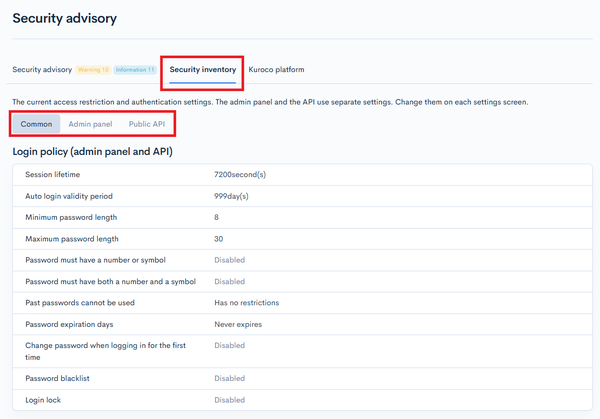
Each setting is shown as follows.
- Click the name of a setting to go to the screen where you can change it.
- A setting that is switched on or off shows "Enabled" or "Disabled".
- A setting that holds a list, such as IP addresses or groups, shows the registered values. When there are many, only some are shown; click [Show more] to show all of them.
- Settings that can be registered more than once, such as APIs and SSO, are shown in a table by name. When there are more than 10, click [Show more] to show all of them.
- Only the settings whose settings screen you have the [View] permission for are shown. When there is no setting to show, "No settings to show." is displayed.
- Values such as passwords, tokens, and client secrets are not shown. For example, [KurocoEdge Basic authentication] shows only the user names.
Common
Settings that apply to both the admin panel and the API, and the access restrictions of KurocoFiles and the front end.
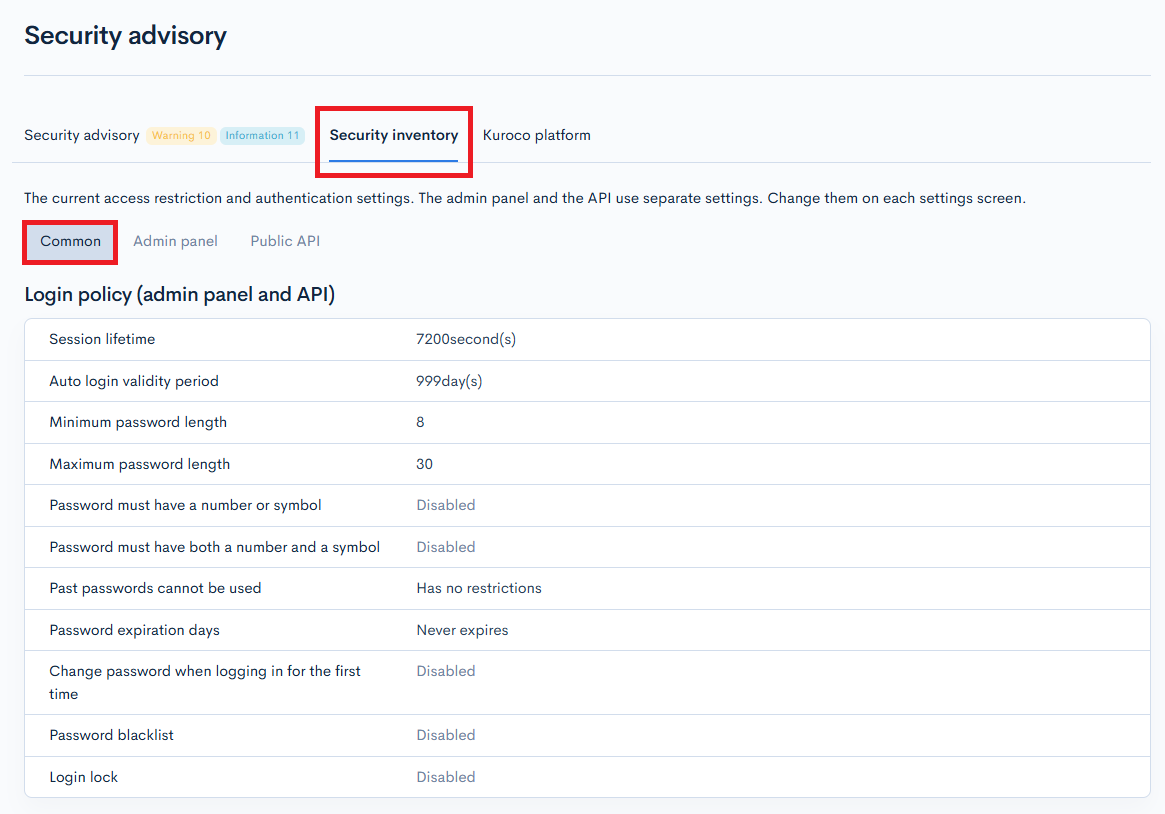
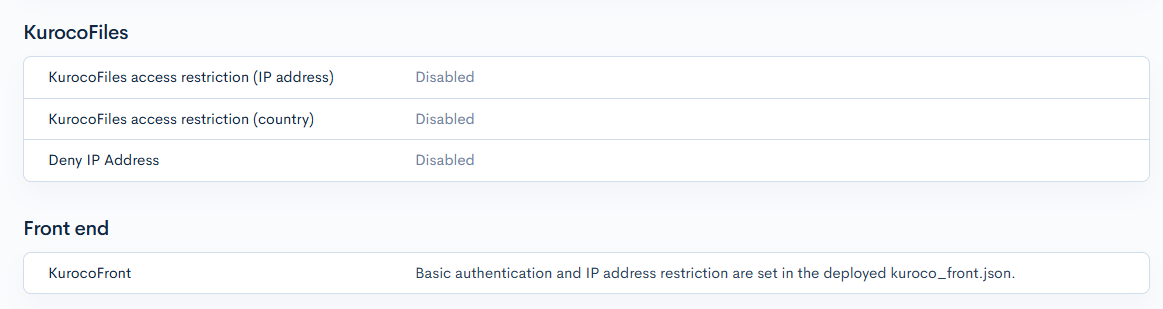
| Category | Settings shown |
|---|---|
| Login policy (admin panel and API) | Session lifetime, Auto login validity period, Minimum password length, Maximum password length, Password must have a number or symbol, Password must have both a number and a symbol, Past passwords cannot be used, Password expiration days, Change password when logging in for the first time, Password blacklist, Login lock, Group IP address restriction |
| KurocoFiles | KurocoFiles access restriction (IP address), KurocoFiles access restriction (country), Deny IP Address |
| Front end | KurocoFront, KurocoEdge Basic authentication, KurocoEdge IP address restriction |
- [Group IP address restriction] shows only the groups that have an IP address restriction.
- Basic authentication and IP address restriction for KurocoFront are set in the deployed
kuroco_front.json, so their current values are not shown on this screen. - The KurocoEdge settings are shown only on sites that use KurocoEdge.
Admin panel
Settings about access to and login to the admin panel.
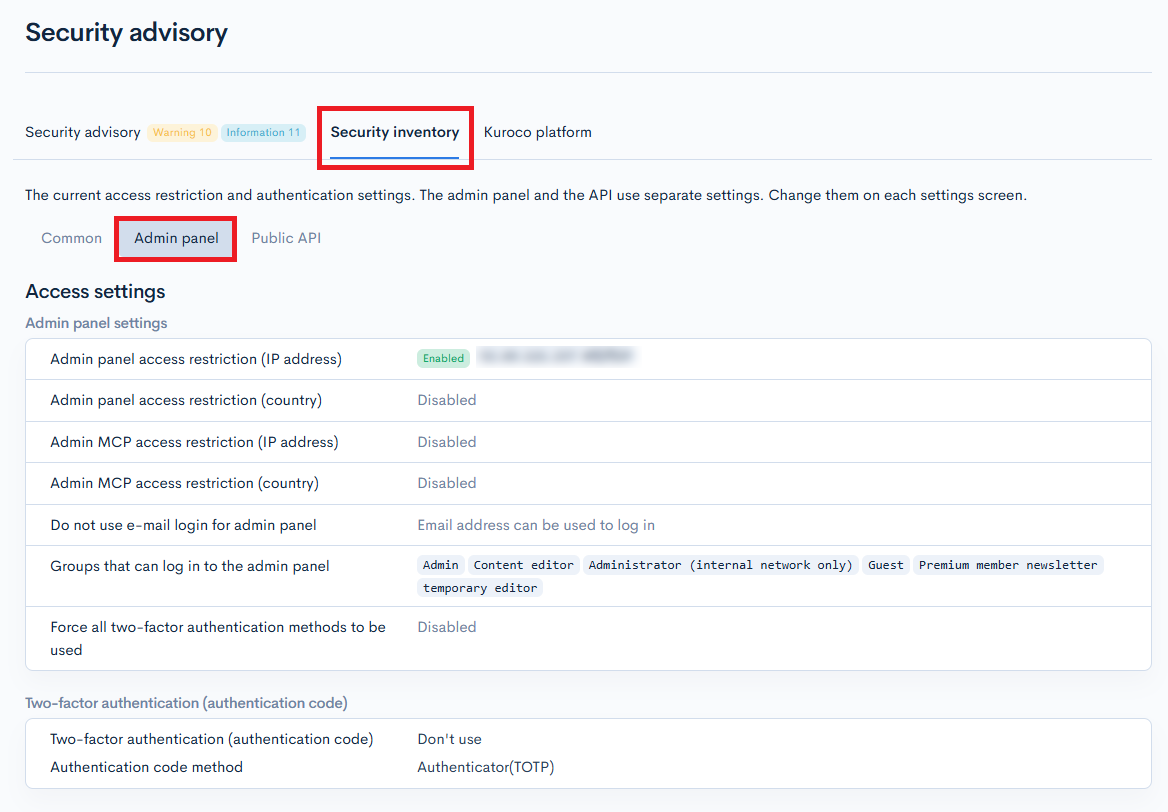
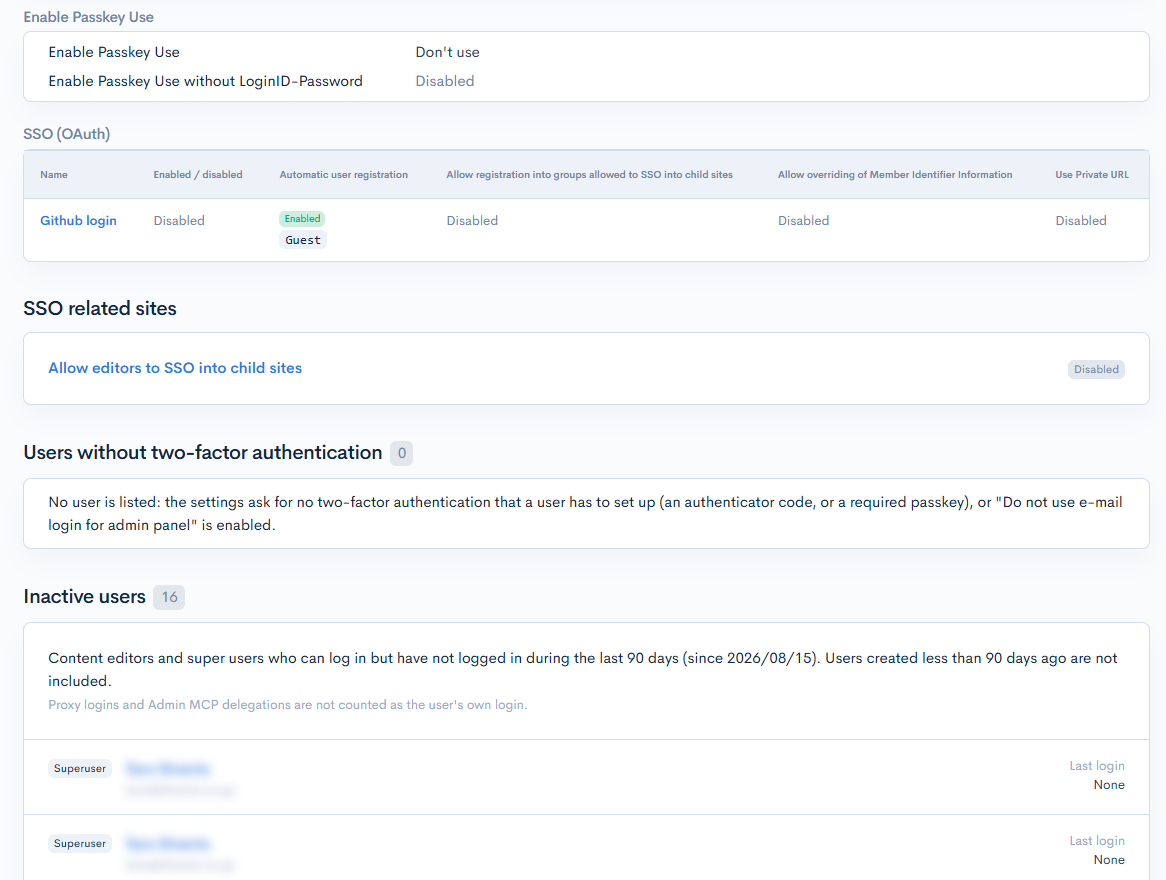
Access settings
| Category | Settings shown |
|---|---|
| Admin panel settings | Admin panel access restriction (IP address), Admin panel access restriction (country), Admin MCP access restriction (IP address), Admin MCP access restriction (country), Do not use e-mail login for admin panel, Groups that can log in to the admin panel, Force all two-factor authentication methods to be used |
| Two-factor authentication (authentication code) | Two-factor authentication (authentication code), Authentication code method |
| Passkey | Enable Passkey Use, Enable Passkey Use without LoginID-Password |
| SSO (OAuth) / SSO (SAML) / SSO (IDaaS) / SCIM | For each SSO setting that targets the admin panel: whether it is enabled, automatic user registration and the groups set at registration, and its other permission settings |
| OAuth authorization server | For each OAuth authorization server that targets the admin panel or Admin MCP: whether it is enabled, its target, access token lifetime, refresh token lifetime, scopes, and the groups allowed to sign in through the OAuth authorization server |
[Do not use e-mail login for admin panel] shows "Login ID only" when enabled and "Email address can be used to log in" when disabled.
SSO related sites
Shown on a parent site when you have the [View] permission for "Site settings". You can check whether [Allow editors to SSO into child sites] is enabled, and the following for each child site.
| Item | Description |
|---|---|
| Site name | The name of the child site. |
| Groups allowed to SSO | The groups allowed to SSO into the child site. |
Users without two-factor authentication
A list of the admin panel users who log in with a password and have not set up the two-factor authentication requested at login (an authenticator code or a passkey). You can check the type of each user (superuser or content editor) and the last login date and time.
- Shown when you have the [View] permission for both "Site settings" and "Member", and the members you can view are not limited by group.
- No user is listed when the settings ask for no two-factor authentication that a user has to set up (an authenticator code, or a required passkey), or when [Do not use e-mail login for admin panel] is enabled.
Inactive users
A list of the content editors and superusers who can log in but have not logged in during the last 90 days. You can check the type of each user (superuser or content editor) and the last login date and time. Shown when you have the [View] permission for "Log management".
- Users created less than 90 days ago are not included.
- Proxy logins and Admin MCP delegations are not counted as the user's own login.
Disable login for users who no longer need it.
Public API
Settings about access to and login to the published APIs.
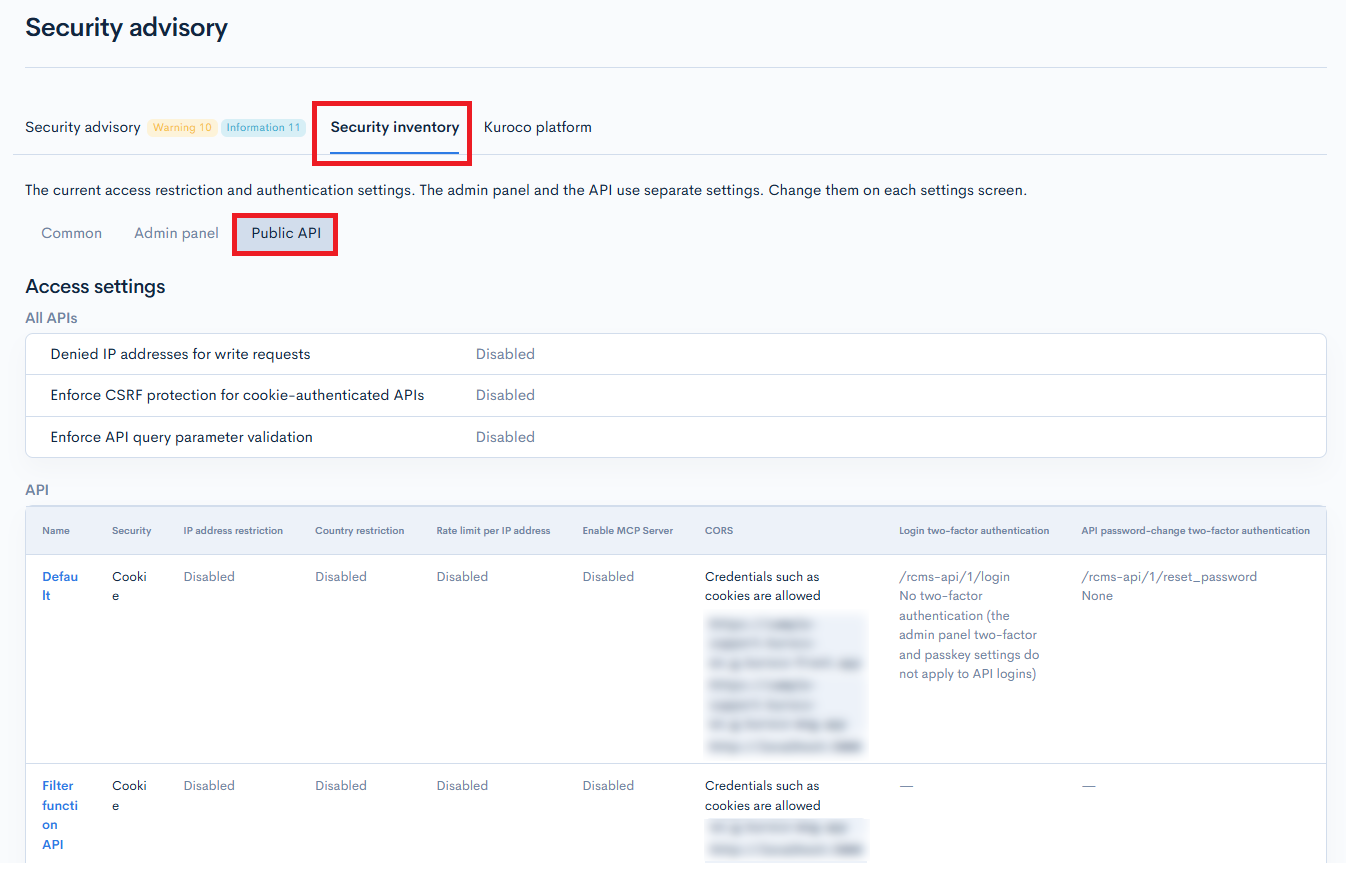
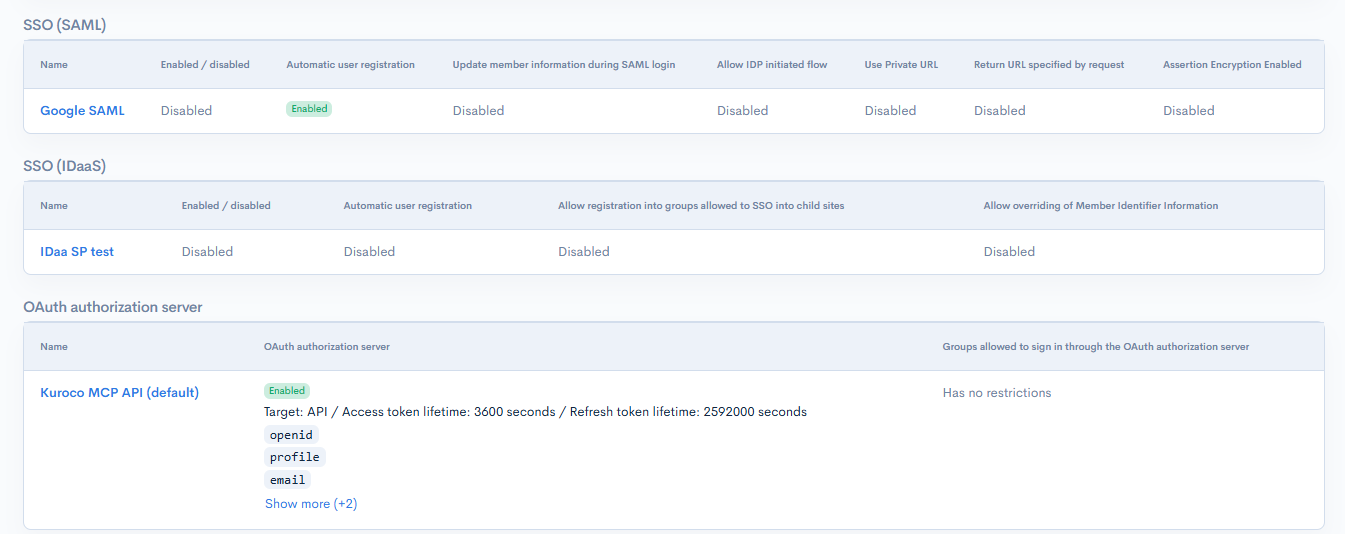
Access settings
| Category | Settings shown |
|---|---|
| All APIs | Denied IP addresses for write requests, Enforce CSRF protection for cookie-authenticated APIs, Enforce API query parameter validation |
| API | For each API: Security, IP address restriction, Country restriction, Rate limit per IP address, Enable MCP Server, CORS |
| Login two-factor authentication / API password-change two-factor authentication | For each login and password-change endpoint: the two-factor authentication method, and how members without an authenticator are handled |
| SSO (OAuth) / SSO (SAML) / SSO (IDaaS) | For each SSO setting that targets the API: whether it is enabled, automatic user registration and the groups set at registration, and its other permission settings |
| OAuth authorization server | For each OAuth authorization server that targets the API: whether it is enabled, its target, access token lifetime, refresh token lifetime, scopes, and the groups allowed to sign in through the OAuth authorization server |
The admin panel two-factor and passkey settings do not apply to API logins. To require two-factor authentication for an API login, set it on each login endpoint. A login endpoint without two-factor authentication shows "No two-factor authentication (the admin panel two-factor and passkey settings do not apply to API logins)".
Unused APIs
A list of the published endpoints without a successful request in the last 30 days. For each API, you can check the method and path of its endpoints. Shown when you have the [View] permission for "API".
- Endpoints created after the period started are not included.
- Internal requests such as
api_internalare not counted. - When there is no usage data for the period, unused endpoints cannot be determined, and "There is no usage data for this period, so unused APIs cannot be determined." is shown.
Unpublish endpoints that are no longer used.
Kuroco platform tab
Vulnerabilities and security notices about the Kuroco platform are listed with their publication date, category, and title. Click a title to open the corresponding page of the documentation site in a new tab.
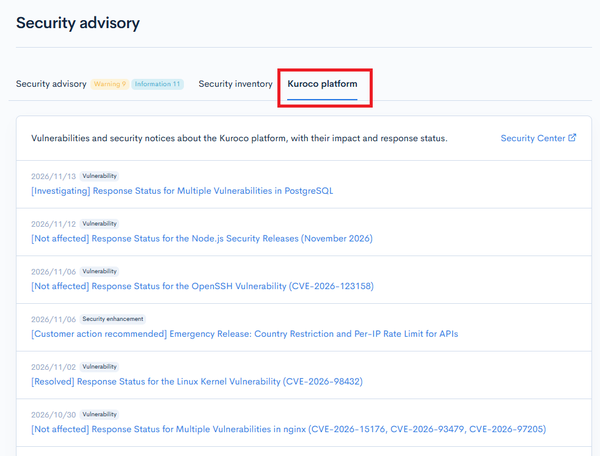
The list has the same content as Security Advisories on the documentation site. Click [Security Center] to open the Security Center of the documentation site in a new tab.
Checking from Admin MCP
The content of this screen can also be read with the following Admin MCP tools.
| Tool | Content |
|---|---|
security_advisory-list | The findings of the Security advisory tab |
security_advisory-acknowledge / security_advisory-unacknowledge | Acknowledge a finding / return it to the unacknowledged state |
security_advisory_access_setting-list | [Access settings] of the security inventory |
security_advisory_environment-list | [SSO related sites] of the security inventory |
security_advisory_password_only_user-list | [Users without two-factor authentication] of the security inventory |
security_advisory_inactive_user-list | [Inactive users] of the security inventory |
security_advisory_unused_api-list | [Unused APIs] of the security inventory |
security_advisory_kuroco_feed-list | The list of the Kuroco platform tab |
Related documents
Support
If you have any other questions, please contact us or check out Our Slack Community.