SKU settings
In SKU settings, you can configure the information that serves as the template for SKUs.
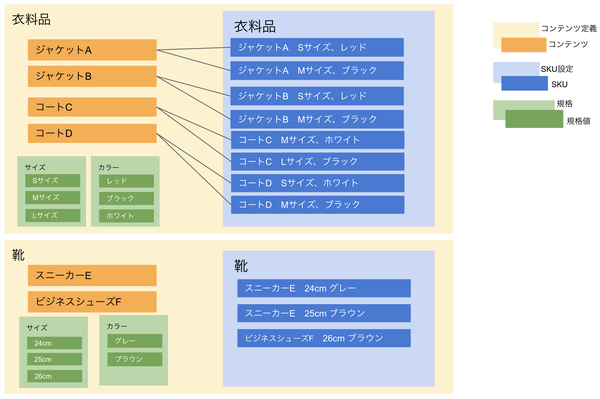
In Kuroco, content is treated as products, and SKUs are linked to and managed with content. The relationship between SKU settings and SKUs is similar to the relationship between content structures and content. Just as a content structure defines the extension fields of each content item, SKU settings define the extension fields and other settings of each SKU. An SKU setting is always associated with one content structure.
The data concept is as follows.
Accessing the screen
If no SKU settings have been added yet
Click [EC].
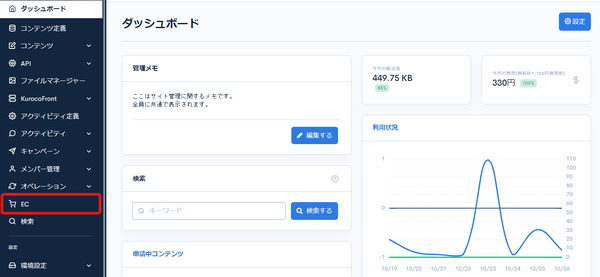
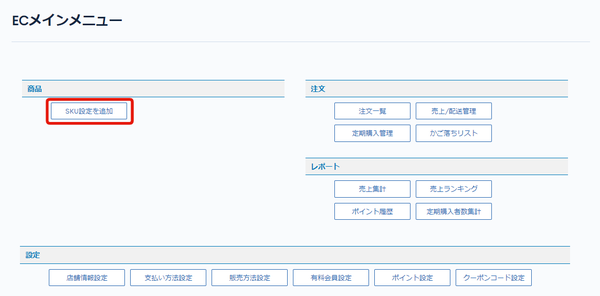
In the E-commerce main menu, click [Add SKU settings].
If SKU settings have already been added
Click [EC].
In the E-commerce main menu, click [EC], and then click [SKU setting list] in the dropdown.
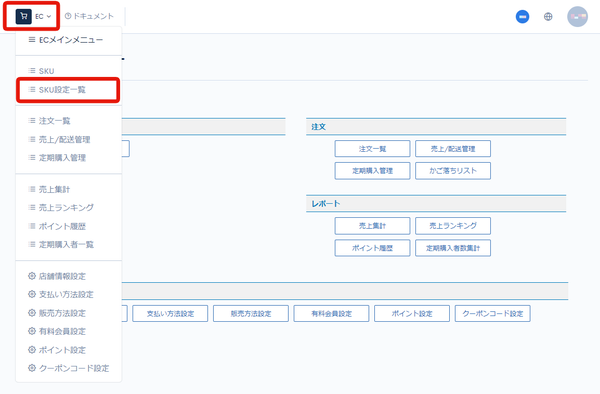
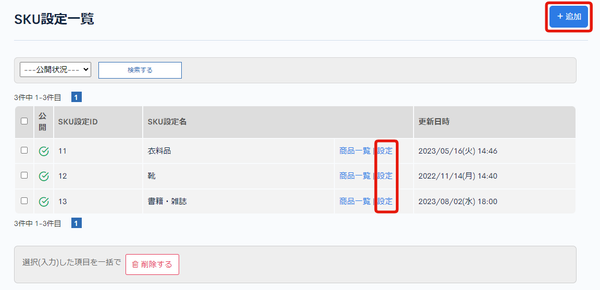
On the SKU setting list page, click [+ Add] in the upper right, or click [Settings] for the SKU setting you want to edit.
Field descriptions
| Field | Description |
|---|---|
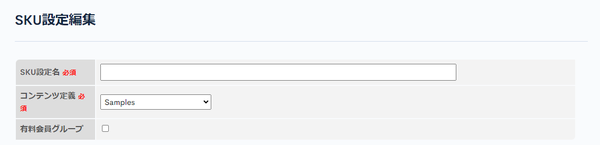
| SKU settings name | Enter the name of the SKU setting. |
| Content structure | Select the content structure to link. |
| Premium membership group | Check this when defining products such as membership plans for a paid membership site. |
SKU extension fields
| Field | Description |
|---|---|
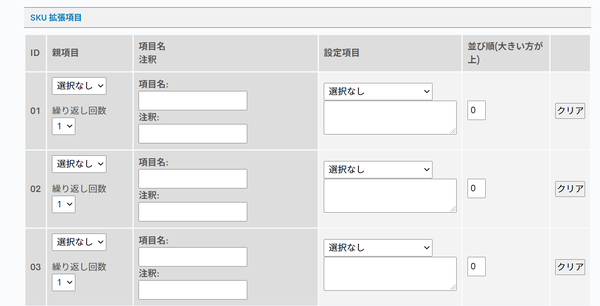
| ID | The ID of the extension field. It is assigned automatically. |
| Parent field | Use this to specify a parent field for the field. |
| Field name, note | Enter the name and note of the field. In the note, you can write memos or notes about the field. |
| Settings | Select the field type. |
| Sort (descending) | Specify the display order of the extension fields. Fields with larger numbers are displayed higher. |
Advanced settings
| Field | Description |
|---|---|
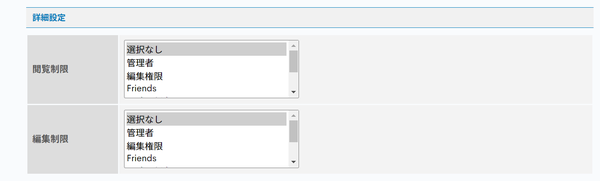
| Inspection limitation | Select the groups that can view the SKU setting. This setting "allows" viewing. |
| Edit restriction | Select the groups that can edit the SKU setting. This setting "allows" editing. |
Publish settings
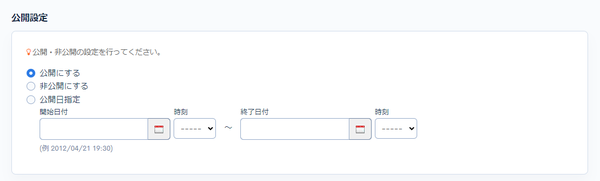
| Field | Description |
|---|---|
| Publish | Publishes the SKU setting. |
| Unpublish | Unpublishes the SKU setting. |
| Scheduled publish | Publishes the SKU setting for the start and end dates you specify. |
Add button and update comment
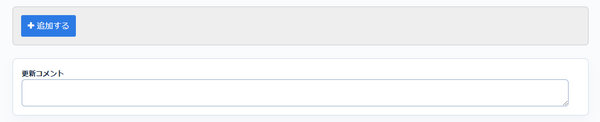
| Field | Description |
|---|---|
| Add | Applies the changes to the SKU setting. |
| Update comment | You can leave a comment when updating the SKU setting. |
Related documents
Support
If you have any other questions, please contact us or check out Our Slack Community.