Order details
In Order details, you can change or cancel the contents of an order.
Accessing the screen
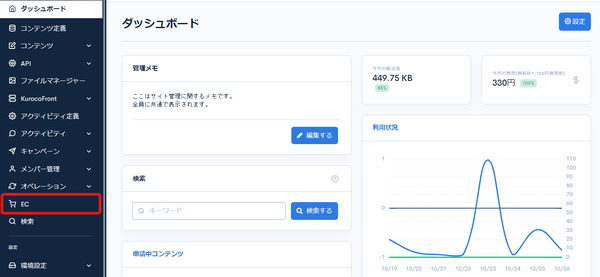
Click [EC].
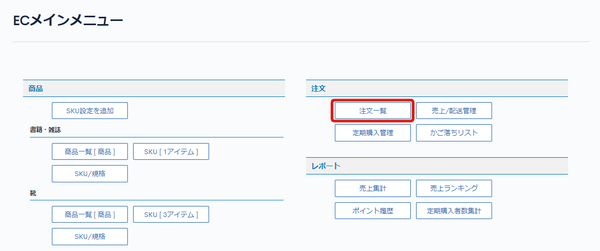
 In the E-commerce main menu, click [Order list].
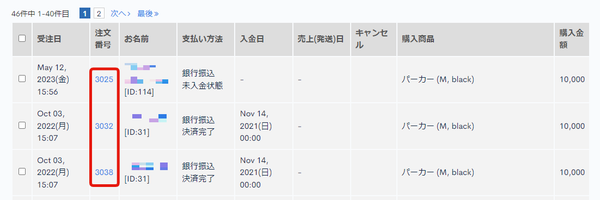
 On the order list page, click the [Order ID] of the order you want to edit.
Field descriptions
Order information
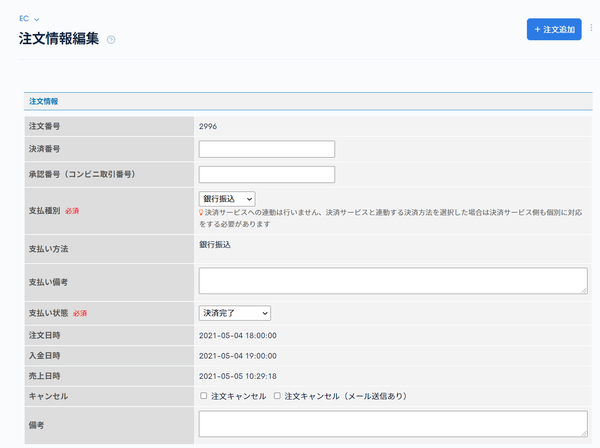
| Field | Description |
|---|---|
| Order ID | Displays the order ID. |
| Payment number | Enter the payment number issued by the external payment service. |
| Approval number (convenience store transaction number) | Enter the approval number (or convenience store transaction number) issued by the external payment service. |
| Payment type | Select the payment type. |
| Payment method | Displays the payment method. |
| Payment note | Enter a note about the payment. |
| Payment status | Select the payment status. |
| Order date and time | Displays the order date and time. |
| Payment date and time | Displays the payment date and time. |
| Sales date and time | Displays the sales date and time. |
| Cancel | Check this to cancel the displayed order. |
| Remarks | Enter remarks about the order. |
Orderer information
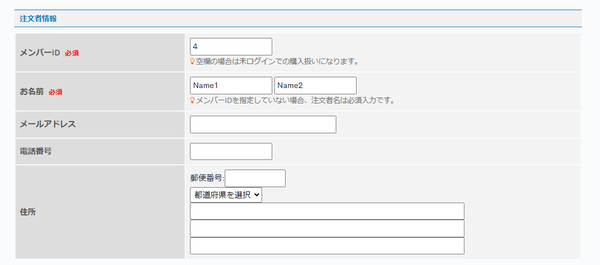
| Field | Description |
|---|---|
| Member ID | Enter the member ID. |
| Name | Enter the name. |
| Email address | Enter the email address. |
| Contact number | Enter the phone number. |
| Address | Enter the address. |
Ordered product information
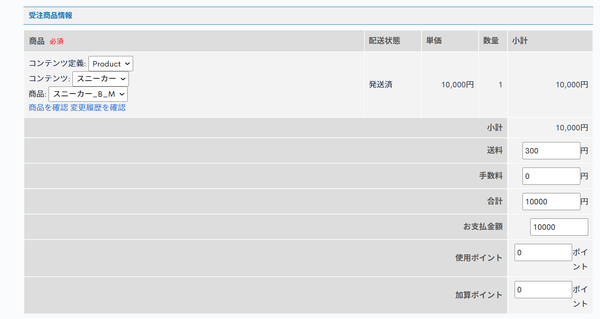
| Field | Description |
|---|---|
| Product | Set the SKU of the product. Select [Content structure] -> [Content] -> [Product] in this order. |
| Confirm product | Click to go to the Product settings page. |
| Confirm change history | Click to go to the update history list of the order information. |
| Delivery status | Displays the delivery status. |
| Unit price | Displays the unit price. |
| Amount | Displays the quantity. |
| Subtotal | Displays the subtotal. |
| Shipping cost | Enter the shipping cost. |
| Fee | Enter the fee. |
| Total | Enter the total amount. |
| Payment amount | Enter the payment amount. |
| Use point | Enter the points used. |
| Added Point | Enter the points added. |
Coupon code information
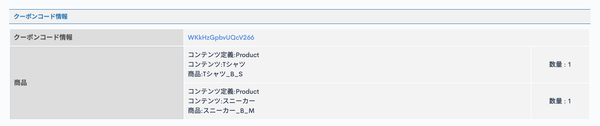
| Field | Description |
|---|---|
| Coupon code information | If a coupon was used for the order, displays a link to the coupon information. If not, displays "Don't use coupon code". |
| Product | Displays information about the products for which the coupon code was used. |
Delivery address information
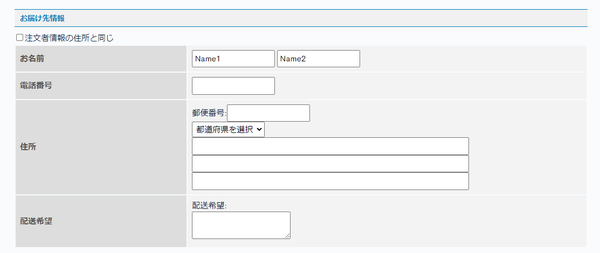
| Field | Description |
|---|---|
| Name | Enter the name. |
| Contact number | Enter the phone number. |
| Address | Enter the address. |
| Delivery request | Enter the delivery request. |
Memo
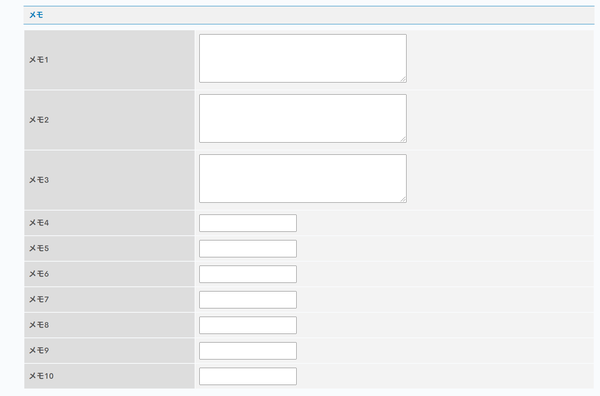
| Field | Description |
|---|---|
| Memo 1 to Memo 10 | You can enter memos about the order. |
Update button and update comment
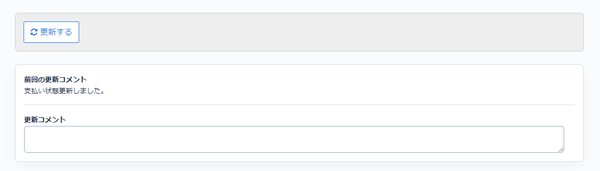
| Field | Description |
|---|---|
| Update | Click to apply the changes to the order information. |
| Previous update's comment | Displays the comment from the previous update of the order information. |
| Update comment | You can leave a comment when updating the order information. |
Related documents
Support
If you have any other questions, please contact us or check out Our Slack Community.