Coupon code settings edit
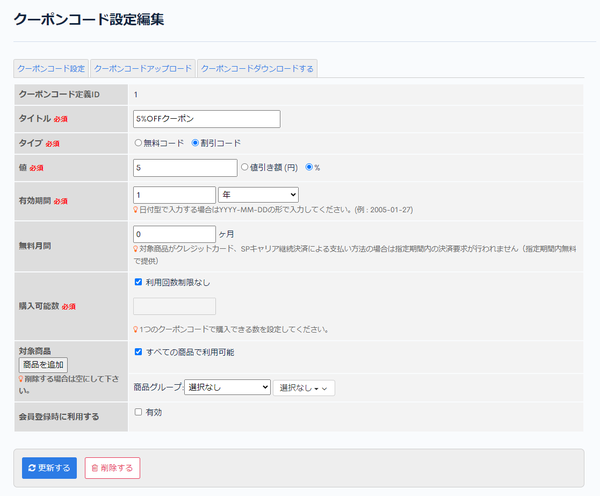
In Coupon code settings edit, you can edit the settings of a coupon code.
Accessing the screen
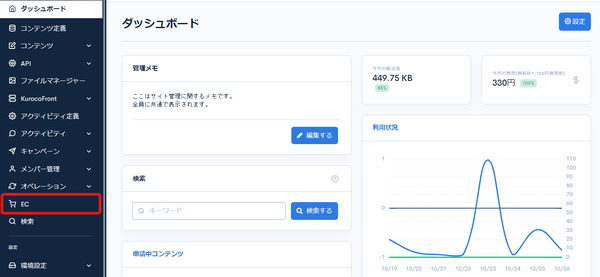
Click [EC].
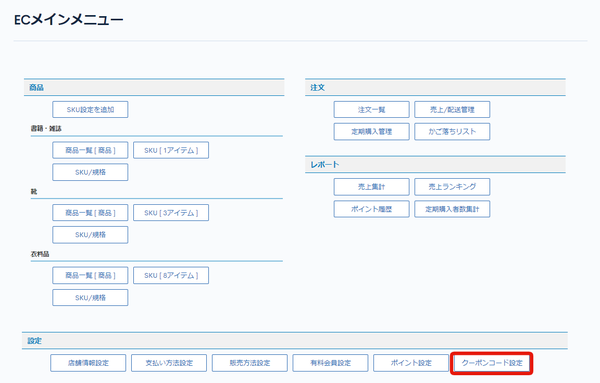
 In the E-commerce main menu, click [Coupon code settings].
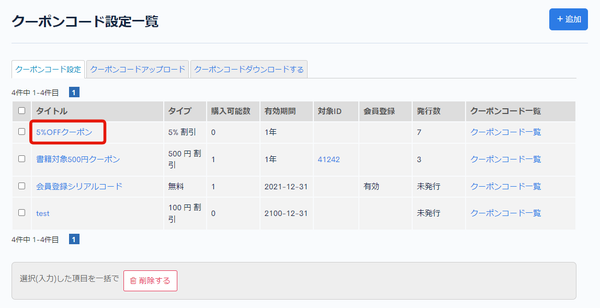
 On the Coupon code settings page, click the [Title] of the coupon code you want to edit.
Field descriptions
| Field | Description |
|---|---|
| Coupon code structure ID | The ID of the coupon code. It is assigned automatically when the coupon code setting is added. |
| Title | Enter the title of the coupon code. |
| Type | Select the type of the coupon code. |
| Value | If the coupon type is a code, set the discount amount or discount rate. |
| Validity period | Displays the validity period of the coupon code. |
| Free period | Displays the free period. |
| Number of purchasable product(s) | Set the number of times the coupon code can be used. |
| Target product | Set the products to which the coupon applies. |
| Use on member register | Check this to use the coupon at member registration. |
Update and Delete buttons
| Field | Description |
|---|---|
| Update | Click to apply the changes to the coupon code. |
| Delete | Click to delete the displayed coupon code. |
Related documents
Support
If you have any other questions, please contact us or check out Our Slack Community.