Payment method edit
In Payment method edit, you can edit the settings of a payment method.
Accessing the screen
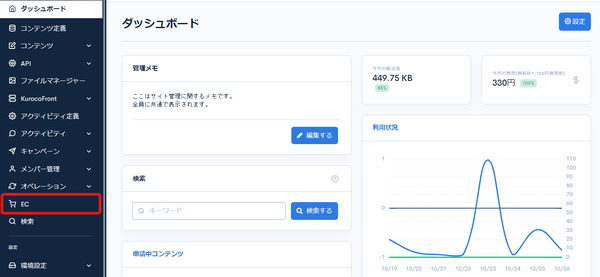
Click [EC].
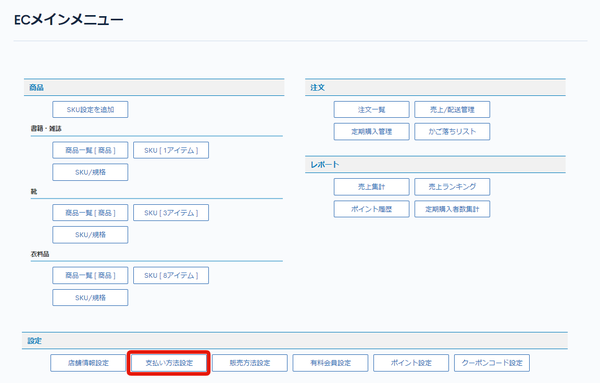
 In the E-commerce main menu, click [Payment method settings].
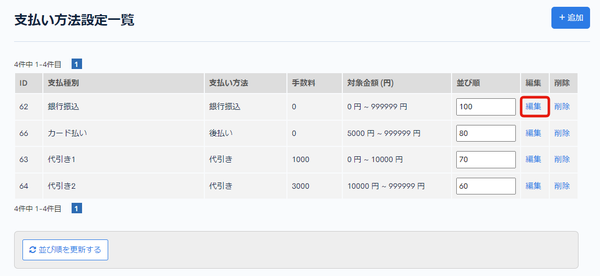
 On the Payment method settings page, click [Edit] for the payment method you want to edit.
Field descriptions
| Field | Description |
|---|---|
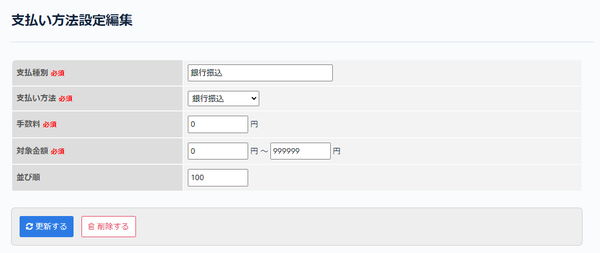
| Payment type | Enter the name of the payment method. |
| Payment method | Set the payment method. The payment methods supported by Kuroco are as follows. Displayed by default Displayed after integrating with Paygent |
| Fee | Set the fee. |
| Price range | Set the amount range in which the payment method can be used. |
| Sort order | Enter the sort order. Items are sorted in descending order of the number. |
Update and Delete buttons
| Field | Description |
|---|---|
| Update | Click to apply the changes to the payment method. |
| Delete | Click to delete the displayed payment method. |
Related documents
Support
If you have any other questions, please contact us or check out Our Slack Community.